Asset Ops
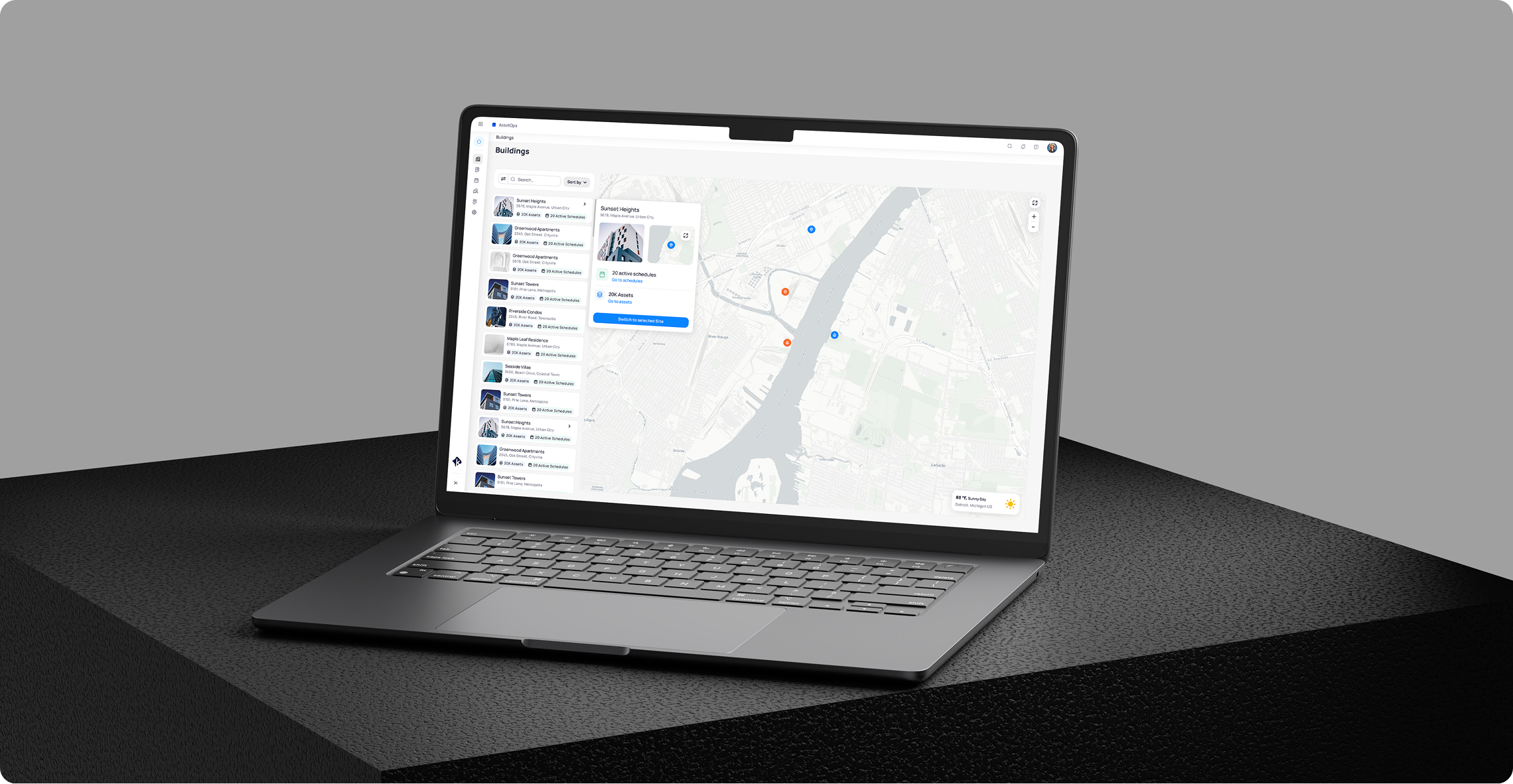
AssetOps is a platform for preventive maintenance, inspections, asset management and task coordination across buildings. It helps facility teams shift from reactive fixes to proactive planning, eliminating workflows in one place.
I led the design work from initial research into the sketches and design sessions to a full product roadmap, shaping the experience to be clear, actionable, and valuable in day-to-day operations.
- Team
- Kodelabs
- My Role
- Product Designer
- Industry
- Smart Buildings
- Number of Clients
- 20+
Overview ✳️
AssetOps is a big and heavy product in the smart buildings industry, giving facility teams complete control over their assets, maintenance, and inspections, eliminating manual tracking and scattered spreadsheets while connecting all of it in one system.
With preventive maintenance, teams can create recurring schedules, assign tasks, and track progress in real time. Inspections and utilities, and data checks all logged to see the big picture. The opportunity: turn this into the request into a scalable platform that centralizes operations, improves visibility, and enables comprehensive functionality management.
AssetOps also turns asset management into a living system: every device and asset carries documented with warranty, dates, manuals, and costs, while all related maintenance and inspections are automatically listed. By streamlining these workflows, AssetOps helps enterprises prevent failures, reduce costly reactive repairs, ensure compliance, and move operations from reactive firefighting to proactive, data-driven decision making, whether for a single small building or an entire portfolio.
From one iconic building
to an industry-wide platform

How it started...
It started with the Empire State Building.
The Empire State Building came to KodeLabs with a straightforward request:
“We need a way to track maintenance, inspections, and repairs in one place, not five.”
To understand what that meant in practice, we ran interviews and shadowing sessions with their facility teams, technicians, supervisors, and property managers. Three questions guided every conversation:
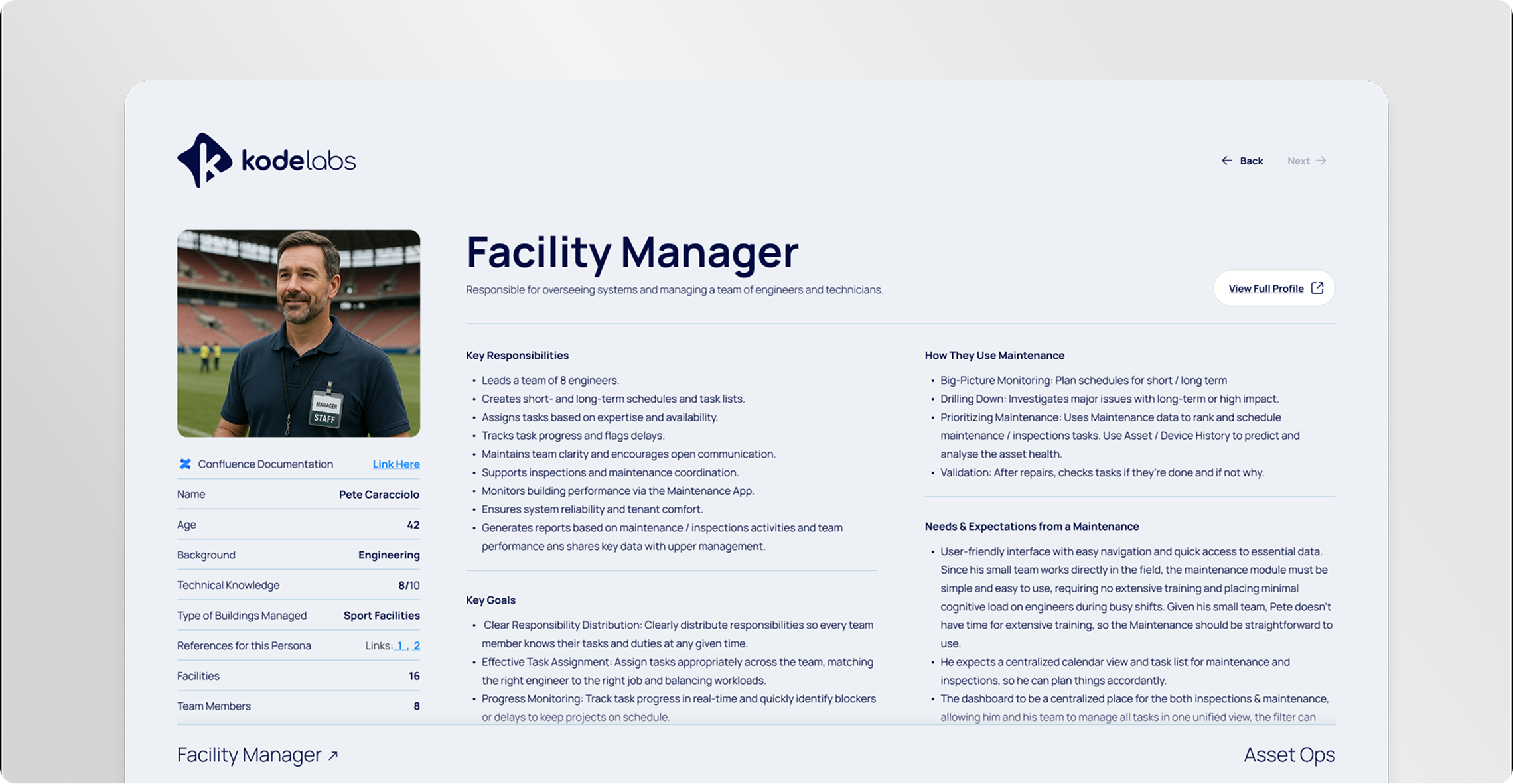
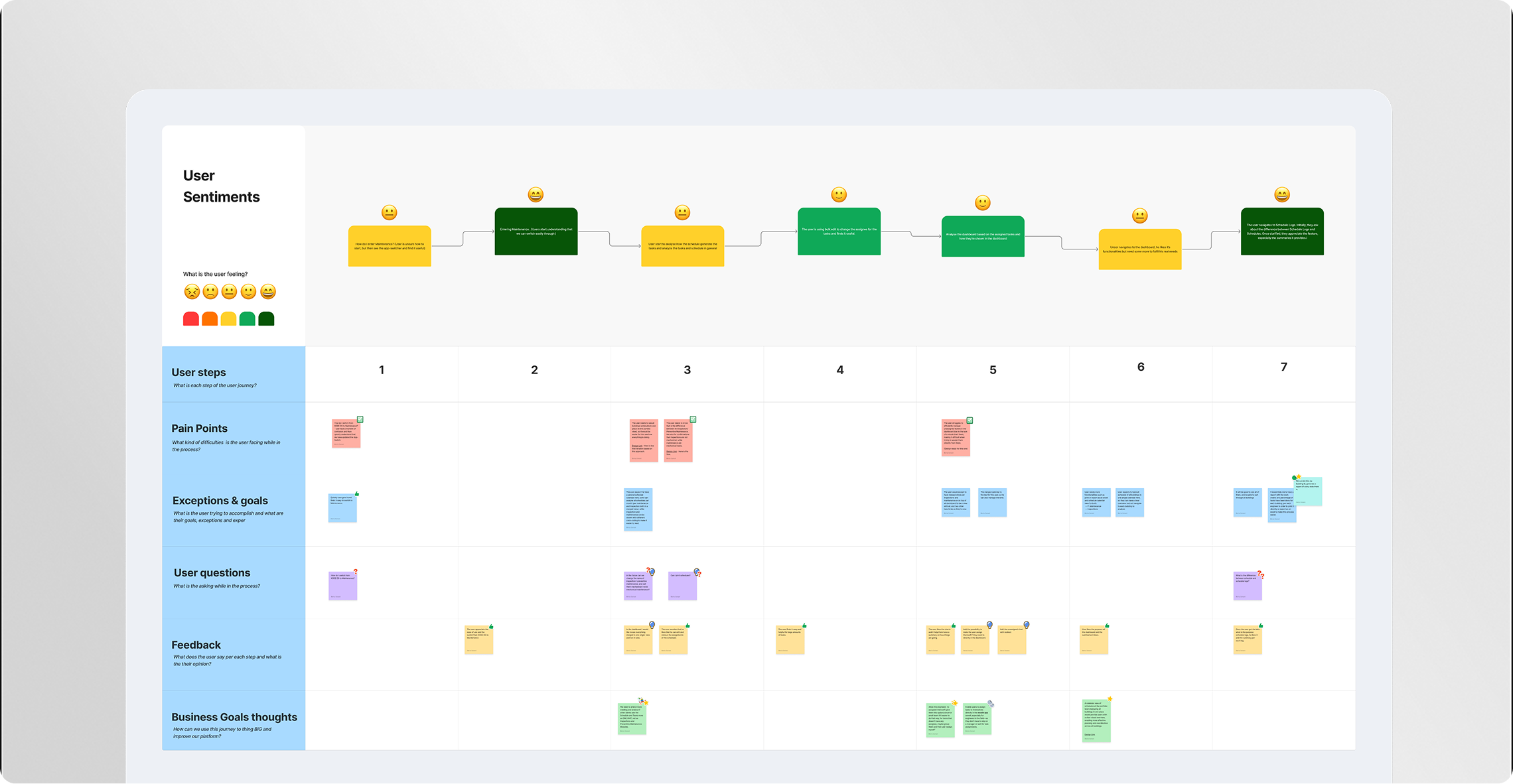
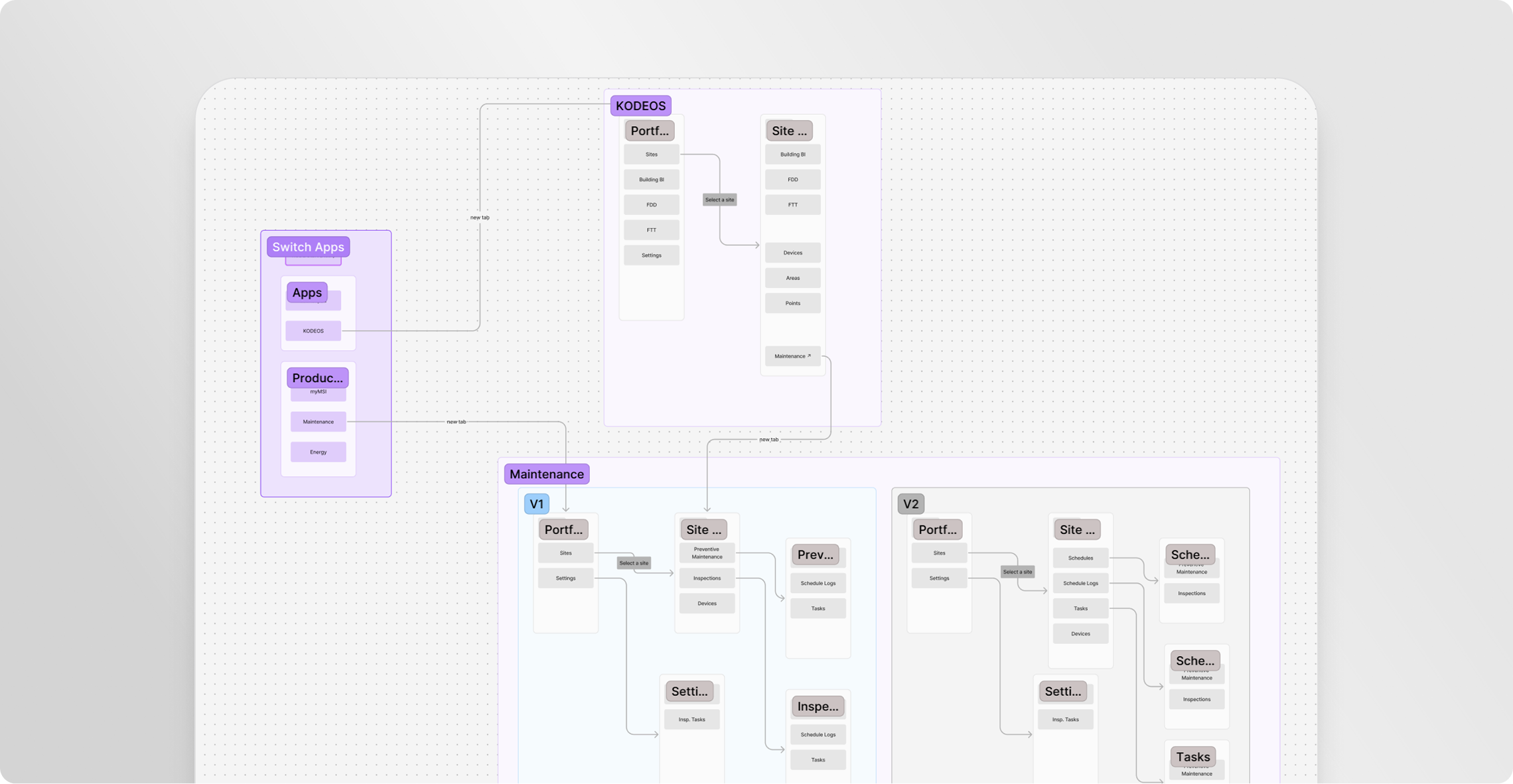
From those calls, I turned their inputs into user personas and journeys, making the feedback into clear product goals. Here is an example of the two platforms:
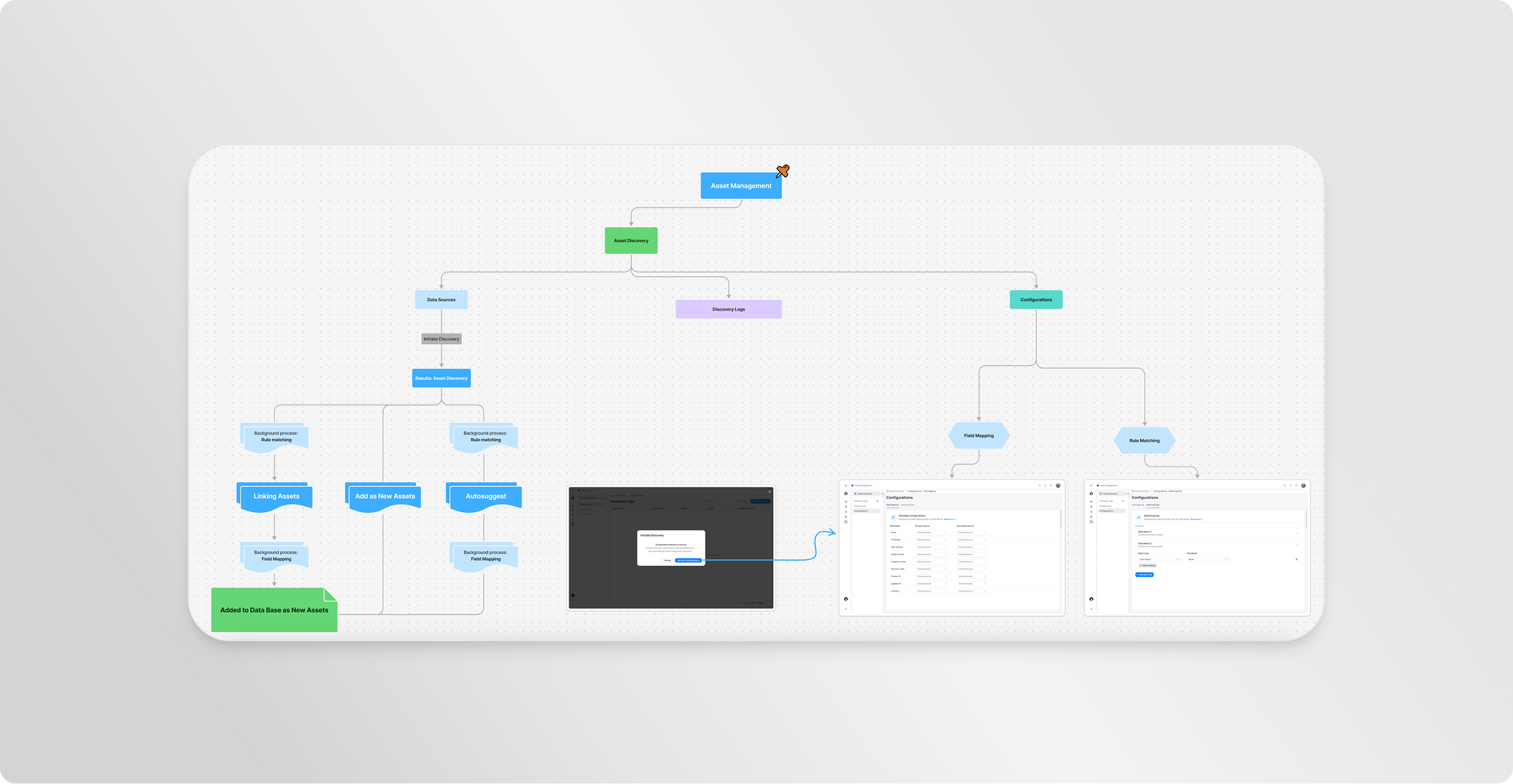
What’s the problem and
how we ✨fixed✨ it?
Work orders, inspections, and asset data lived in five different tools and spreadsheets.
Supervisors spent hours chasing task status instead of seeing it in real time.
Asset history and documents were scattered, making audits slow and stressful.
AssetOps centralizes tasks, assets, schedules, and reports into one clear workflow.
The process of solving these problems started as a blank page, early wireframes and structure explorations turned research into testable ideas.
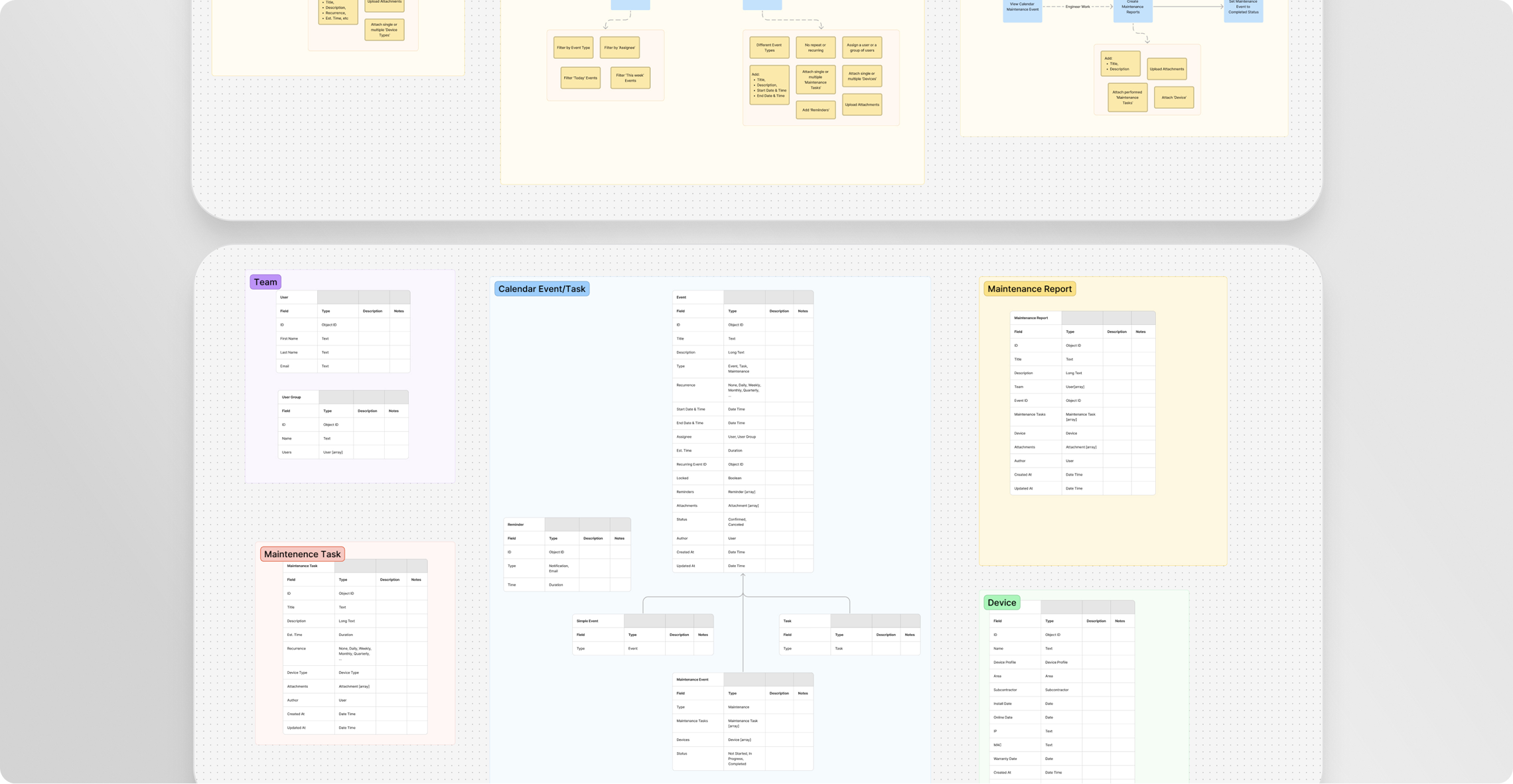
Primary
Goals
Create flexible workflows
Enable facility scheduling and automated workflows for maintenance and inspections.
Provide one source of truth
Consolidate all assets, documents, and history into a single reliable system.
The Features We Built
Real-Time Dashboard
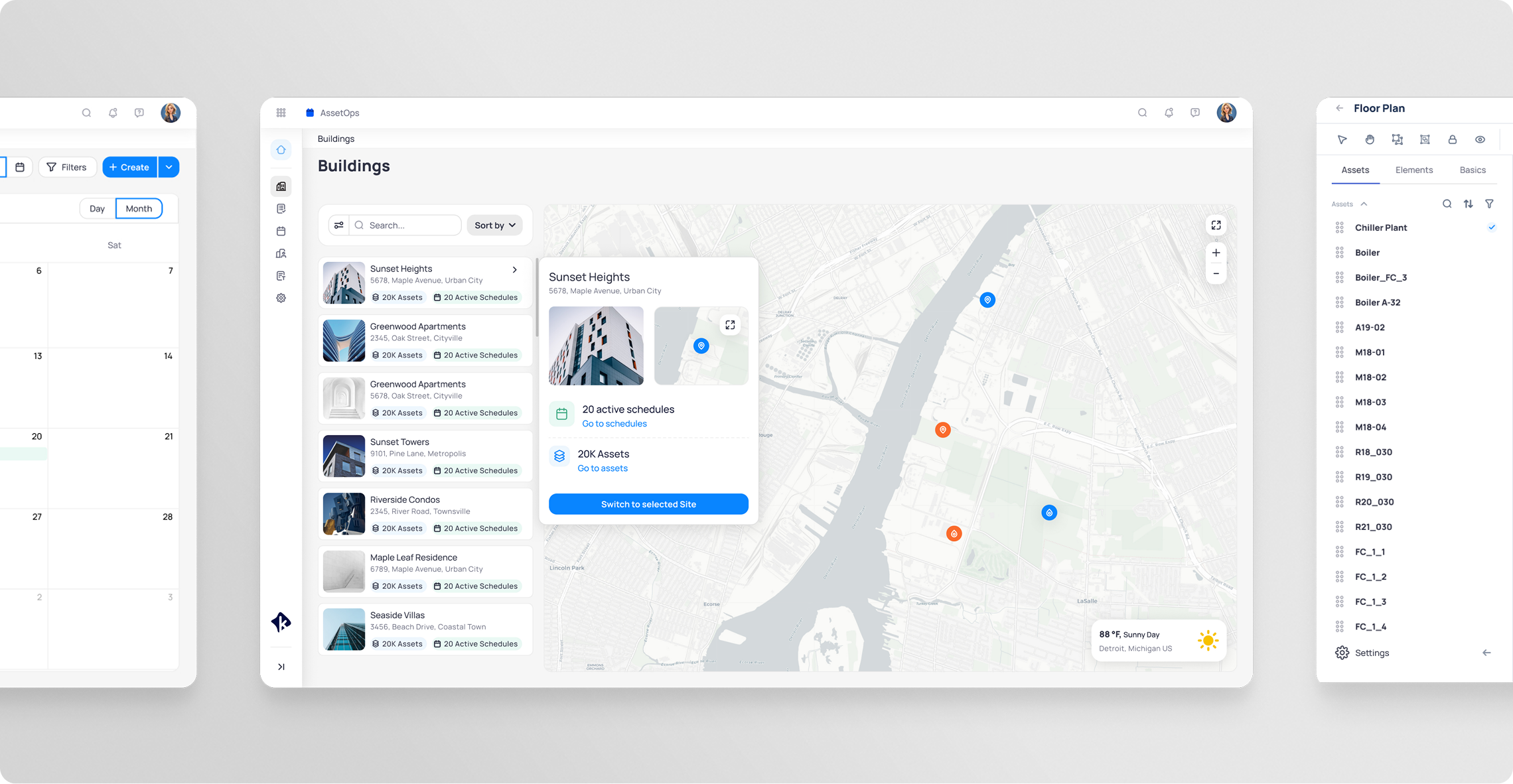
A live overview of every task, asset, and building, status visible at a glance.
Flexible Scheduling
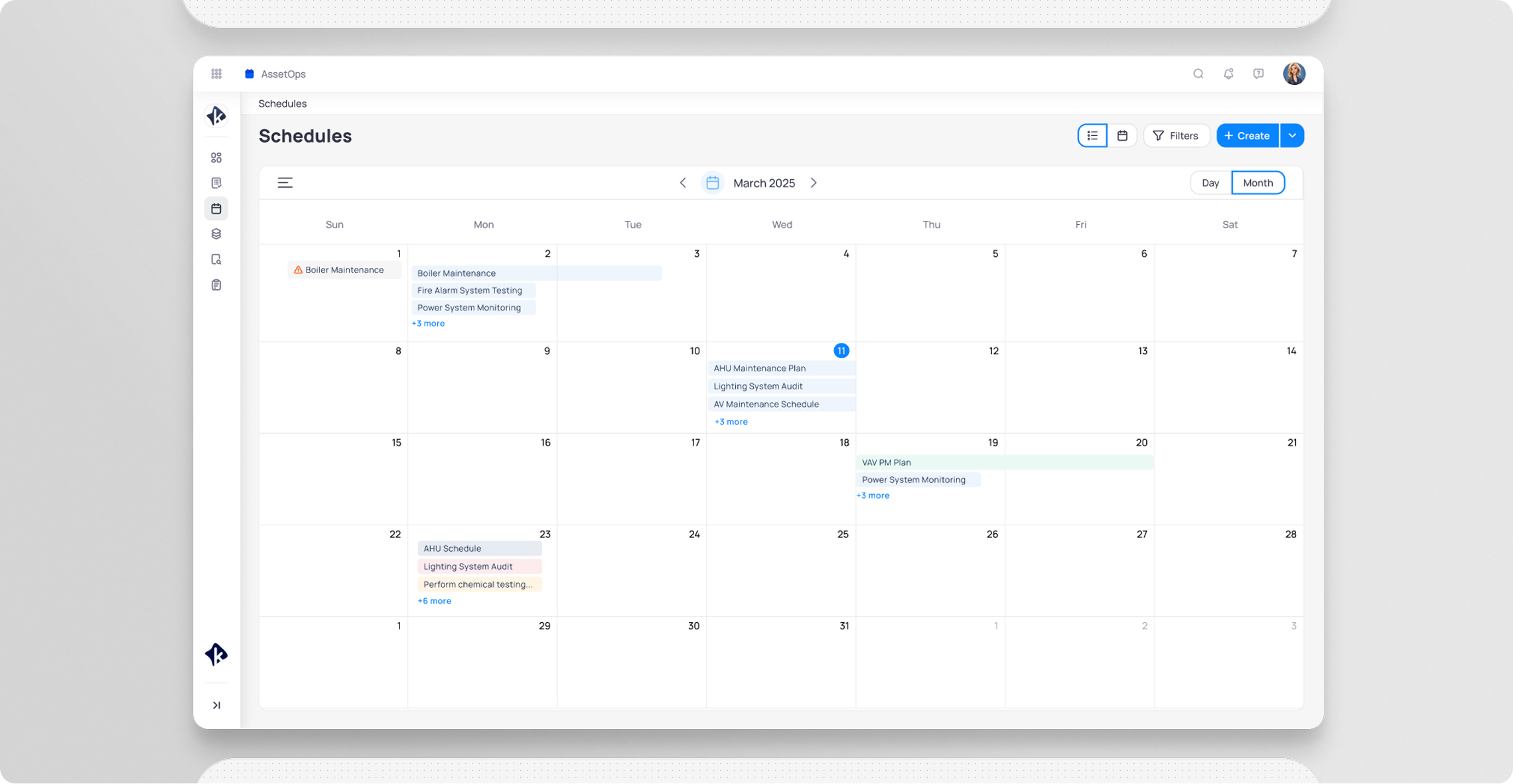
Recurring and one-off maintenance schedules that adapt to each team's workflow.
Task History
A complete, searchable trail of every action taken on any asset or task.
Centralized Asset Management
All assets, locations, and details managed in one structured place.
Compliance-Ready Reporting
Reports built to satisfy audits and regulatory requirements without extra work.
Asset Discovery & Data Recording
On-site discovery flows that make capturing asset data fast and accurate.
Discrepancy Report
Spot and resolve mismatches between expected and actual asset states.
Centralized Documents
Manuals, warranties, and certificates attached right where teams need them.
Asset Listing & AI
Smart listing with AI assistance to classify and enrich asset records.
See how each feature works in the UI showcase below ↓
Work orders, end to end
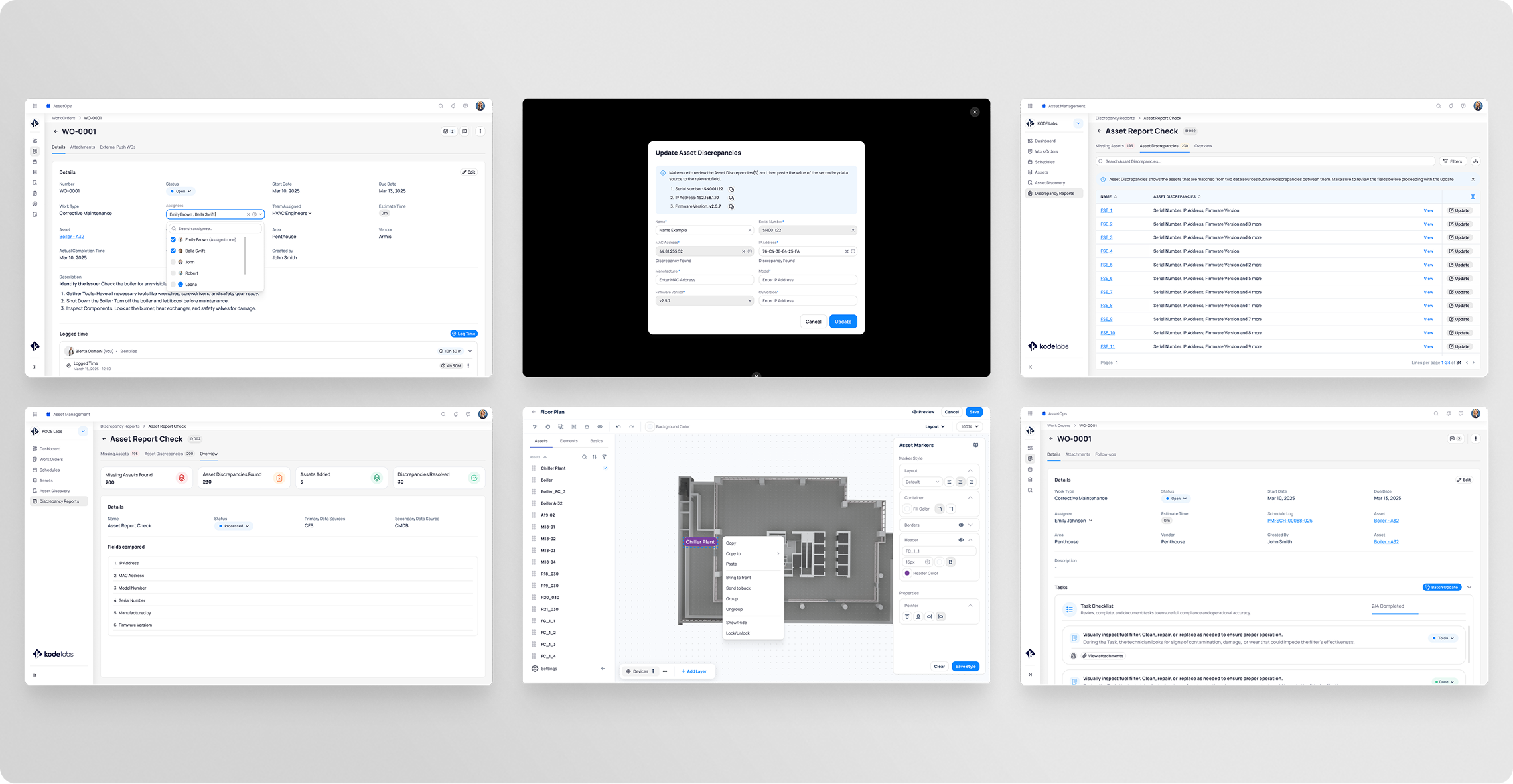
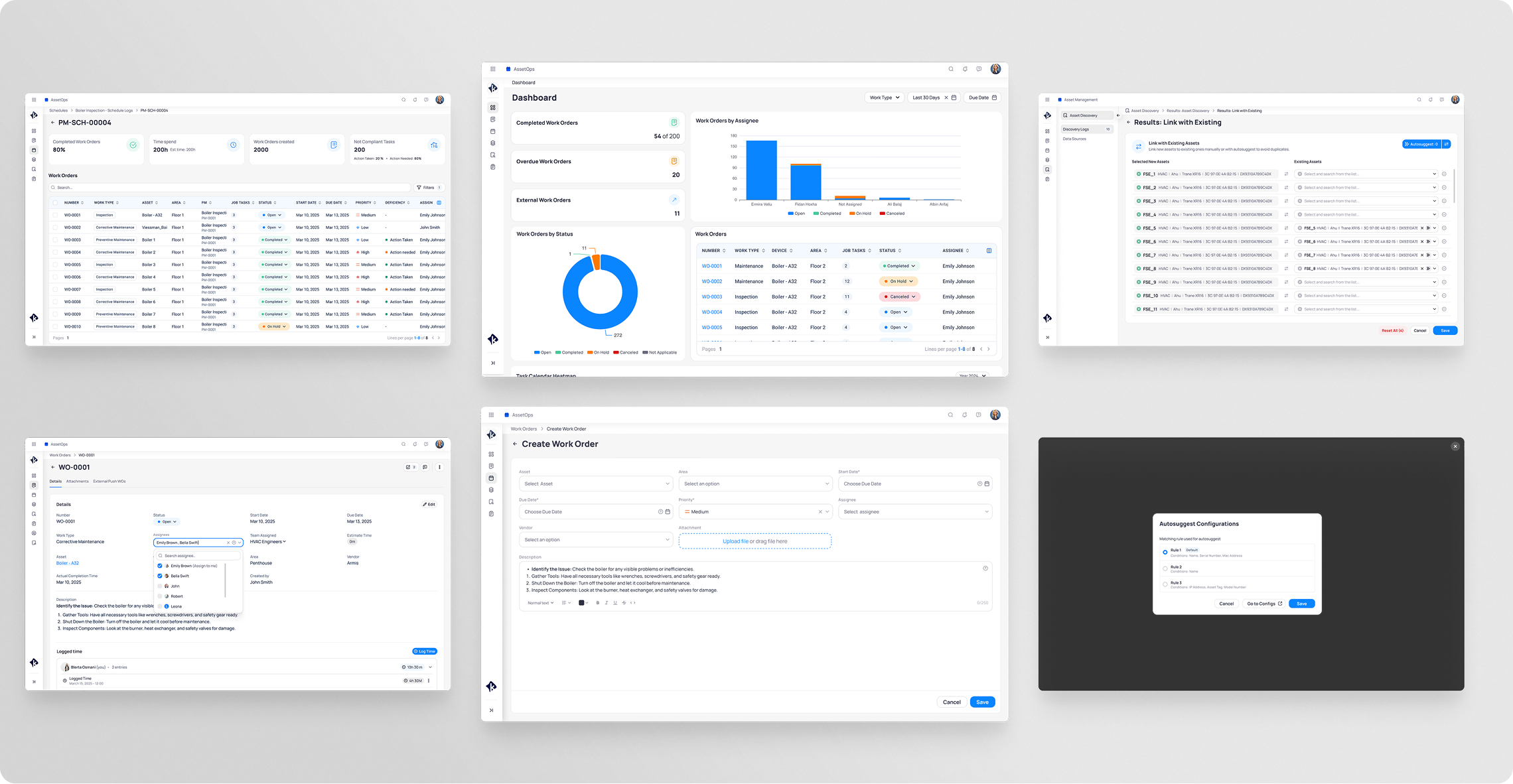
When I started on the work order, I didn’t begin with the layout, I began with the three people who open it. The technician on site needs to know what to do next. The supervisor needs to see progress without chasing anyone. The manager needs proof the job was done right. My proposal was one detail page that answers all three at a glance, instead of three separate views to maintain.
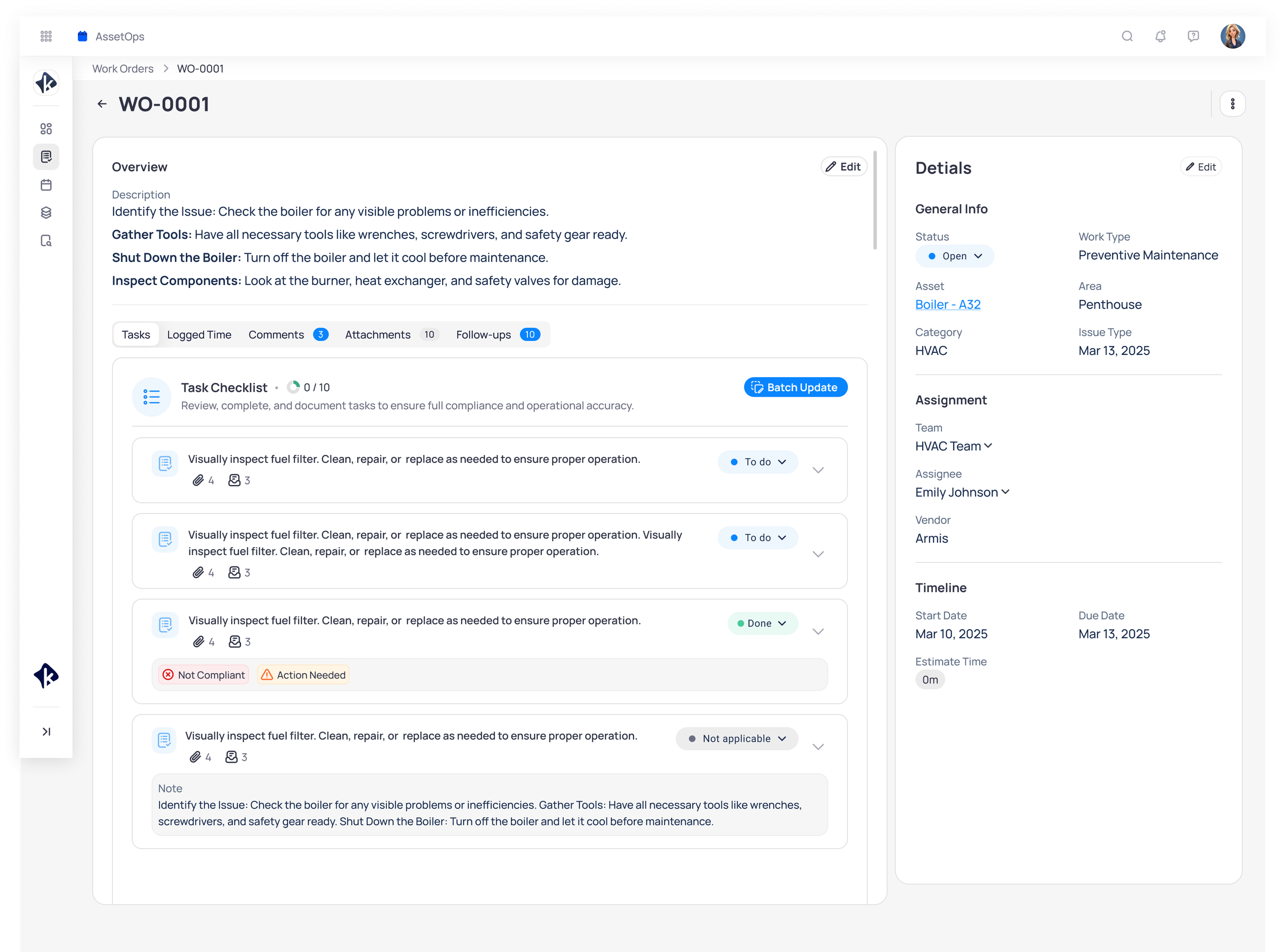
I split the page by intent
I noticed people use a work order in two modes: doing the work and checking the facts. So I put the doing on the left, overview and task checklist, and the facts on the right in a details panel: status, work type, asset, area, team, assignee, vendor, timeline. Everything else lives in tabs (Tasks, Logged Time, Comments, Attachments, Follow-ups), so the page stays calm even when a job gets complicated.
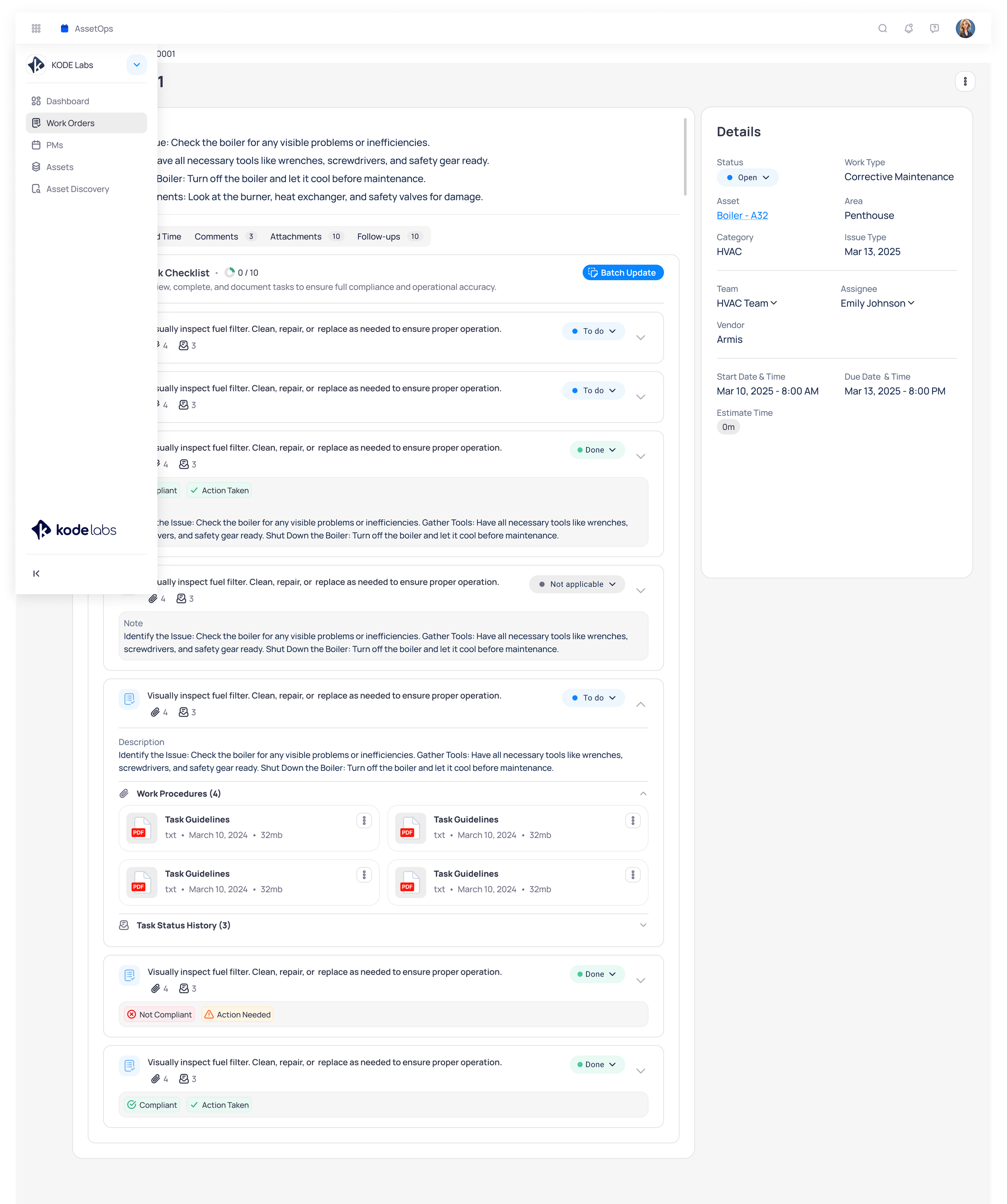
I made compliance visible, not buried
In the old flow, “done” didn’t mean “compliant”, and managers had to dig to find out. I proposed giving every task two layers: a status (To do, Done, Not applicable) and a compliance tag (Compliant, Not Compliant, Action Taken, Action Needed). Tasks expand to show their work procedures and status history, a counter tracks progress, and I added Batch Update after watching technicians close tasks one by one at the end of a shift.
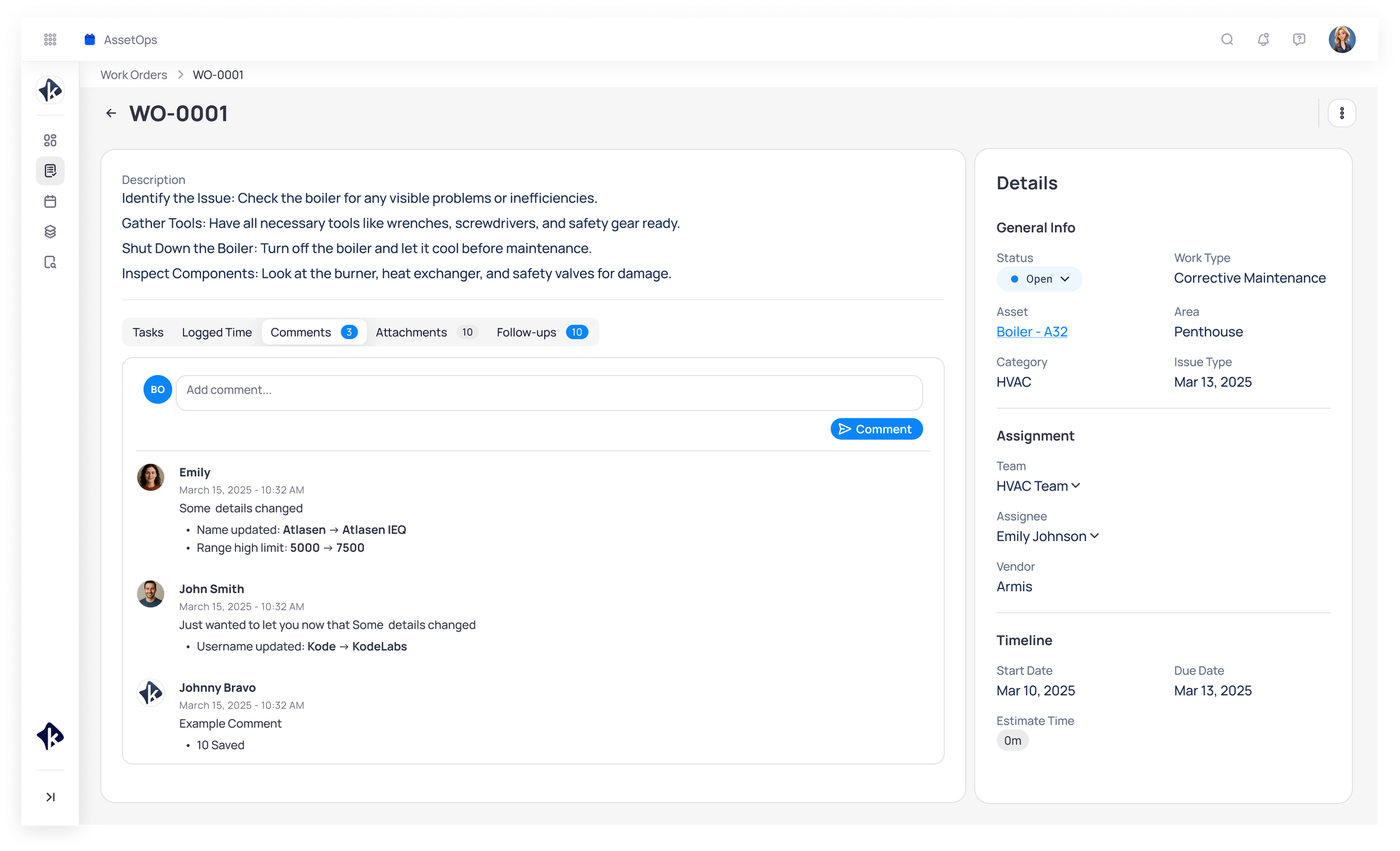
I turned comments into the job’s memory
Teams kept asking “who changed this, and when?”. Instead of adding a separate audit screen, I suggested letting the comment thread double as an activity log: every change appears in the conversation, from what to what. Teams and vendors stay aligned without a single extra message.
How I brought AI into asset management
The problem I kept running into: buildings are full of equipment that systems can detect but nobody has recorded properly. Asset Discovery pulled those devices in, and then left teams with hundreds of rows to sort by hand, deciding which were new and which already existed. Get it wrong, and the asset register fills with duplicates.
AI was new territory for the platform, so my proposal was deliberately careful: let AI do the tedious matching, and let people make the decisions. I designed it as a natural step inside the existing discovery flow, not a separate “AI feature”, so it felt like the AssetOps teams already knew, just faster.
AI suggests, people decide
Nothing is linked automatically. Every match waits for a person to confirm it.
Runs in the background
Matching can take minutes, so it never blocks the screen, a notice says when it’s ready.
Speaks the platform’s language
Same tables, toasts, and activity log as the rest of AssetOps. No new patterns to learn.
Always a manual path
Anything the AI isn’t sure about can be linked or converted by hand, in the same flow.
Start from what teams already trust
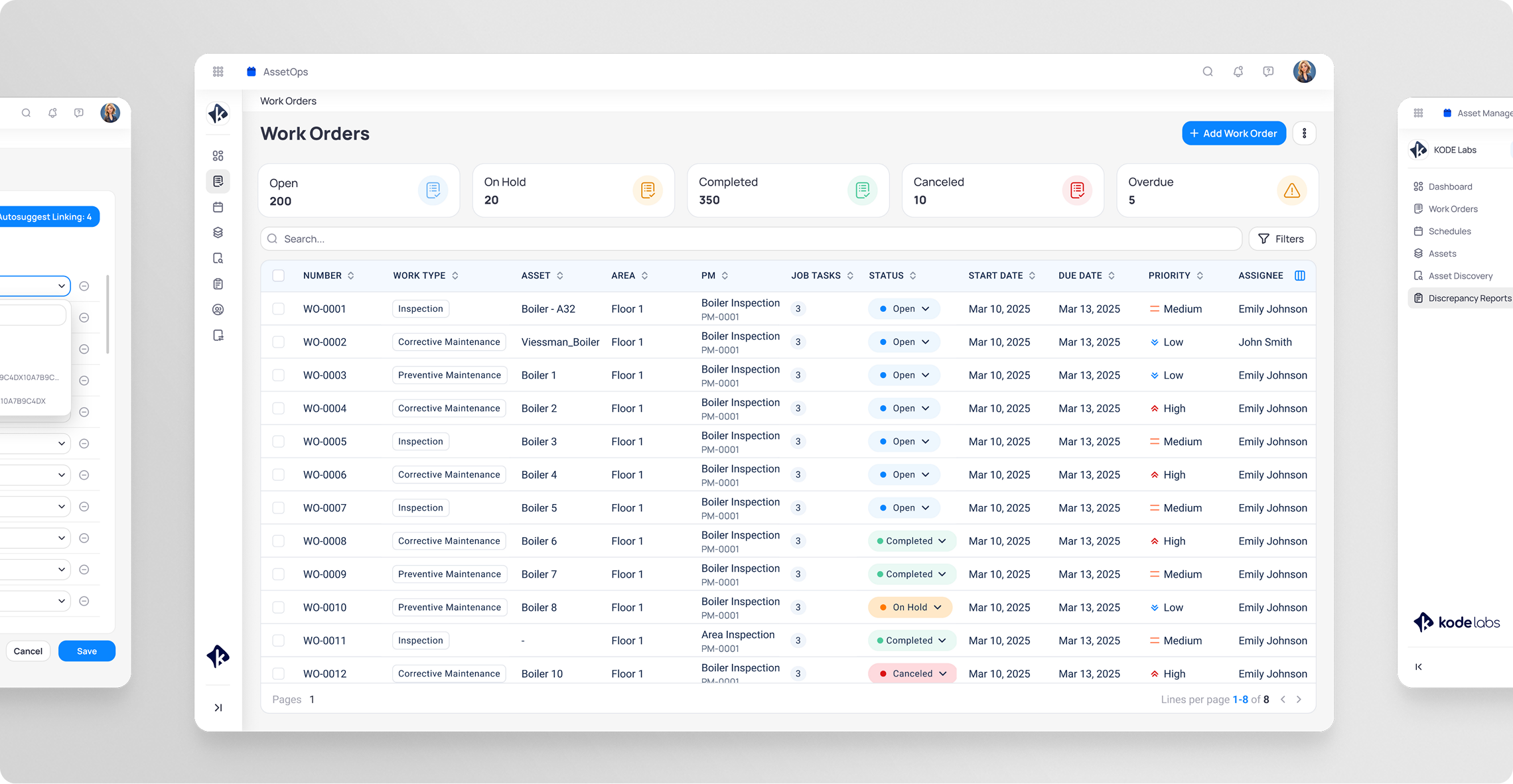
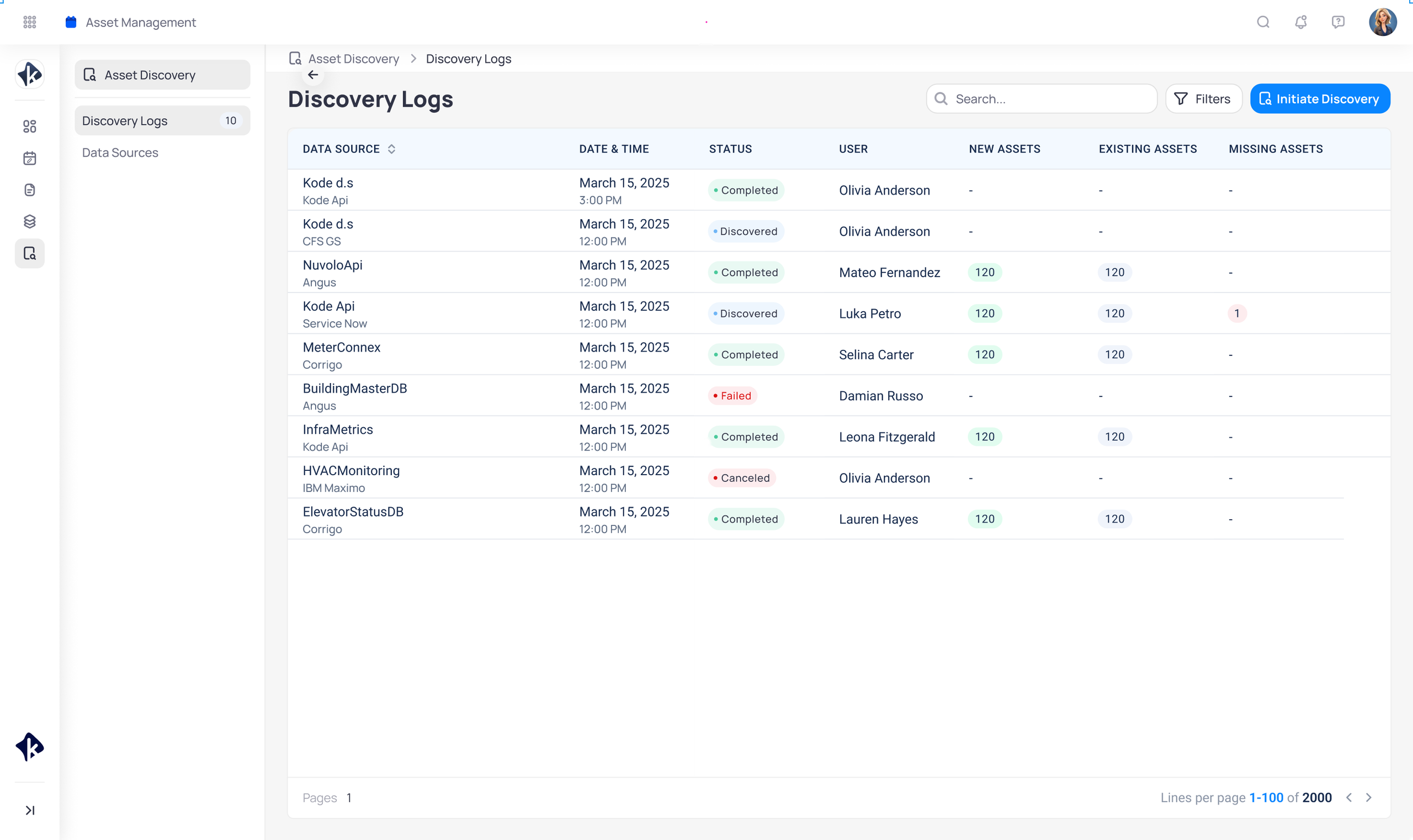
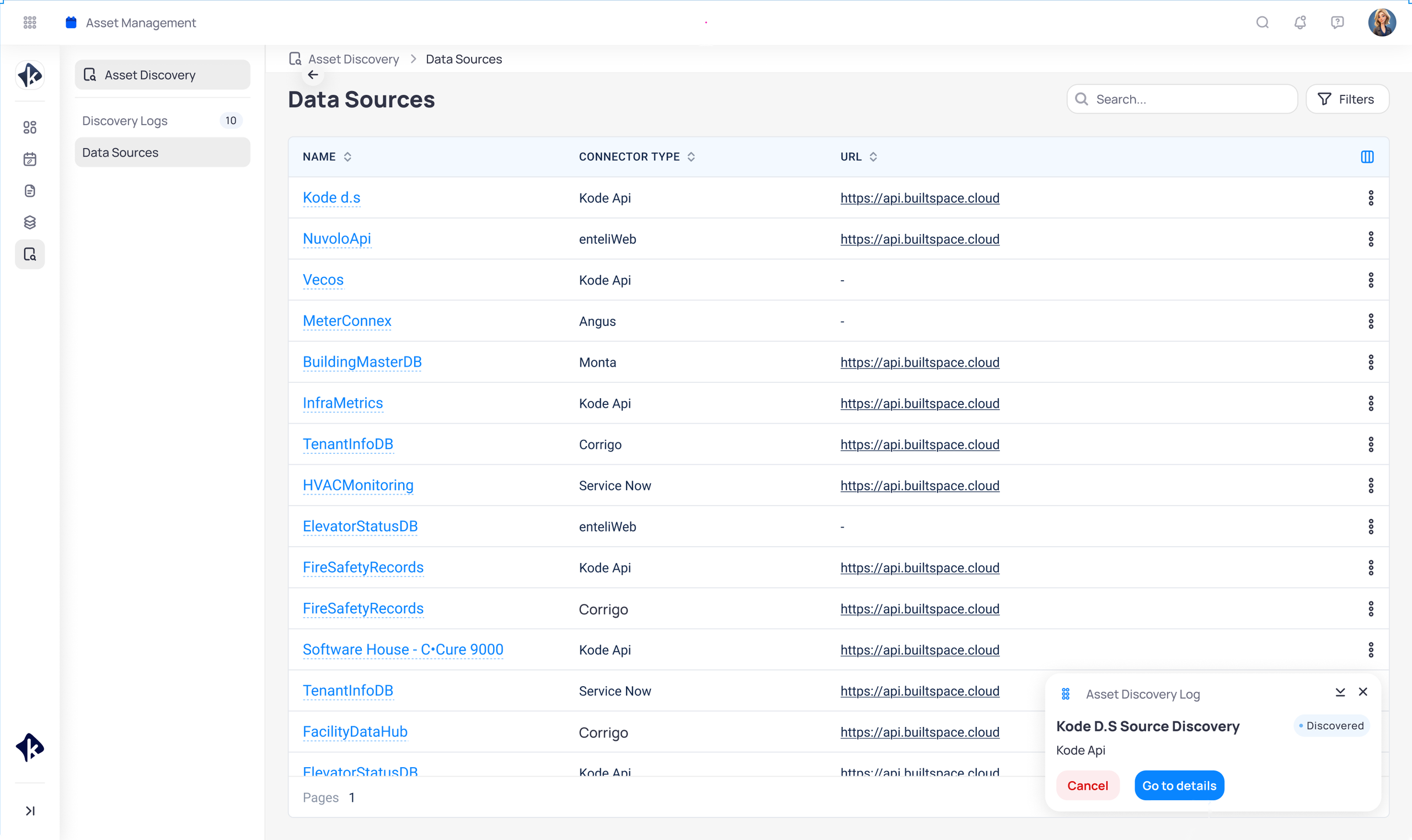
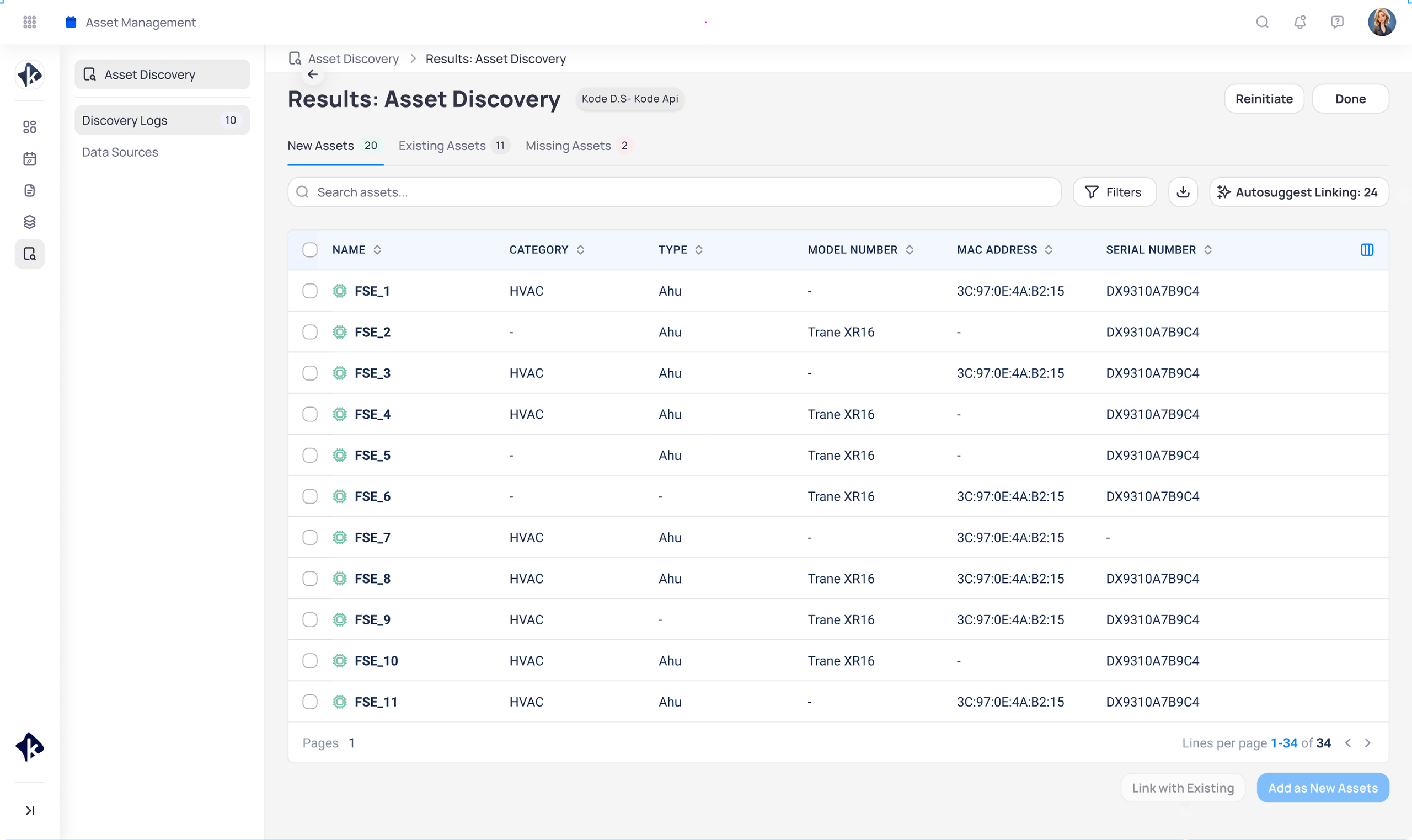
I kept discovery where teams already worked: discovery logs per data source, and a results page that splits devices into new, existing, and missing assets, so the scale of the problem is clear before anyone touches a row.
One click to let AI do the matching AI
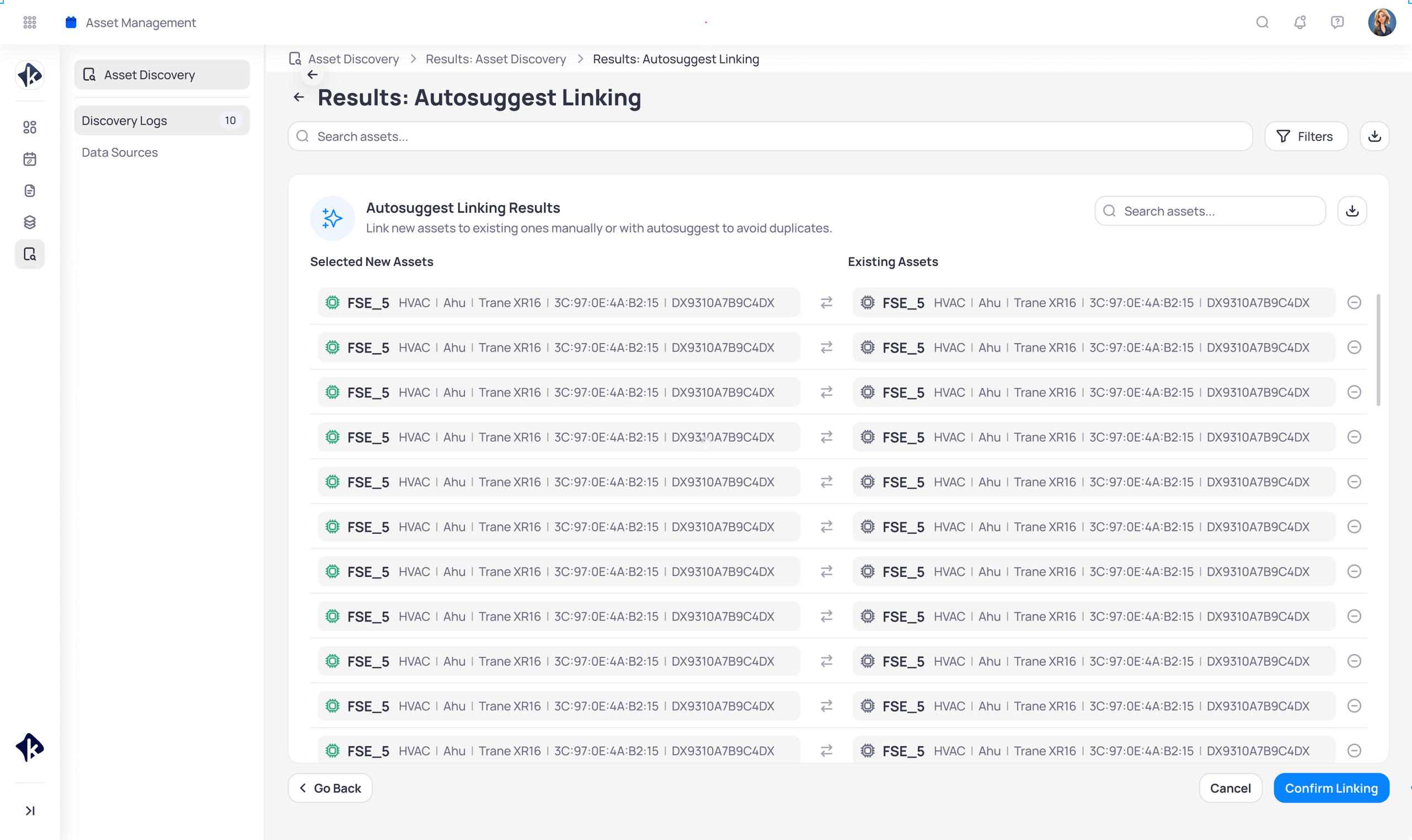
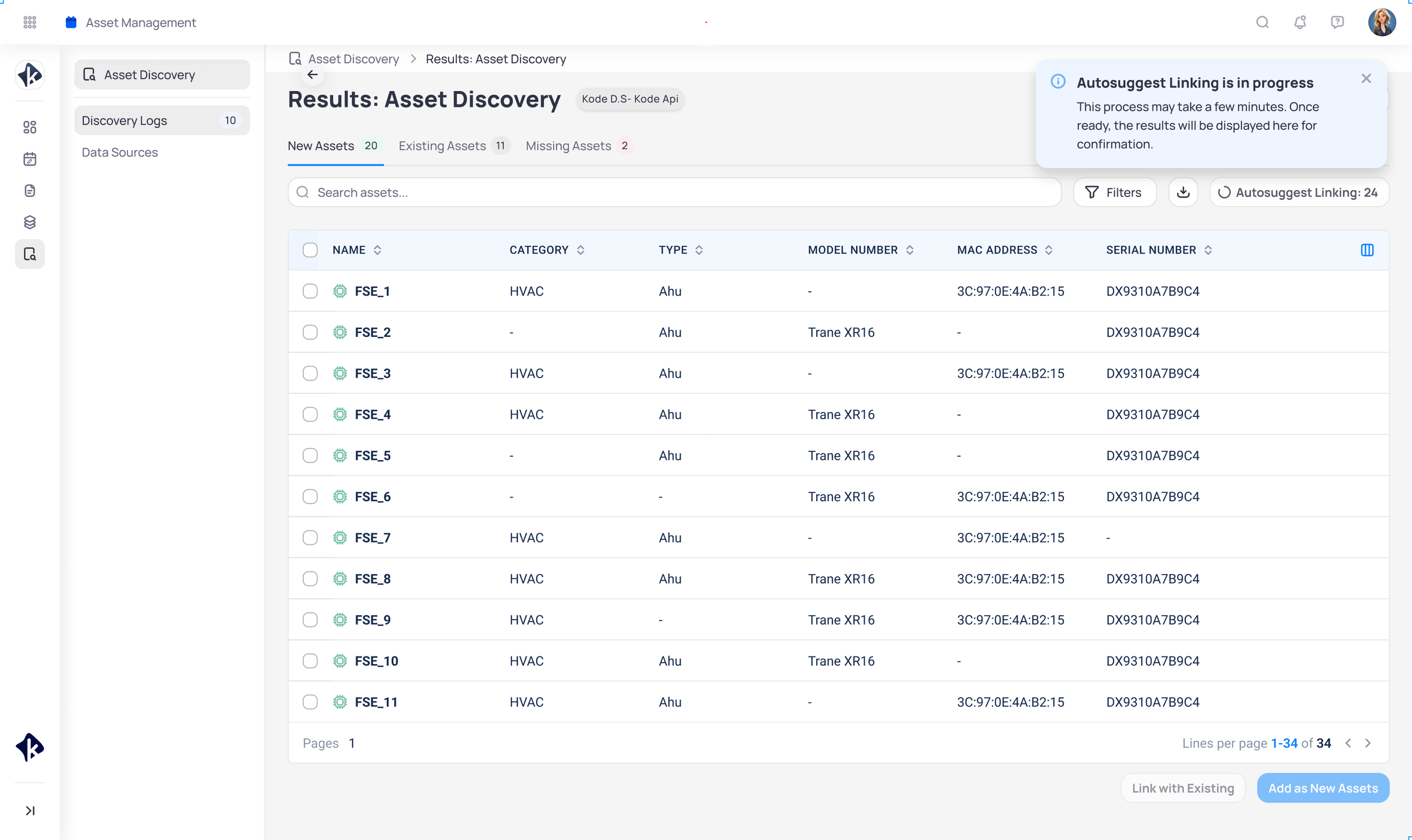
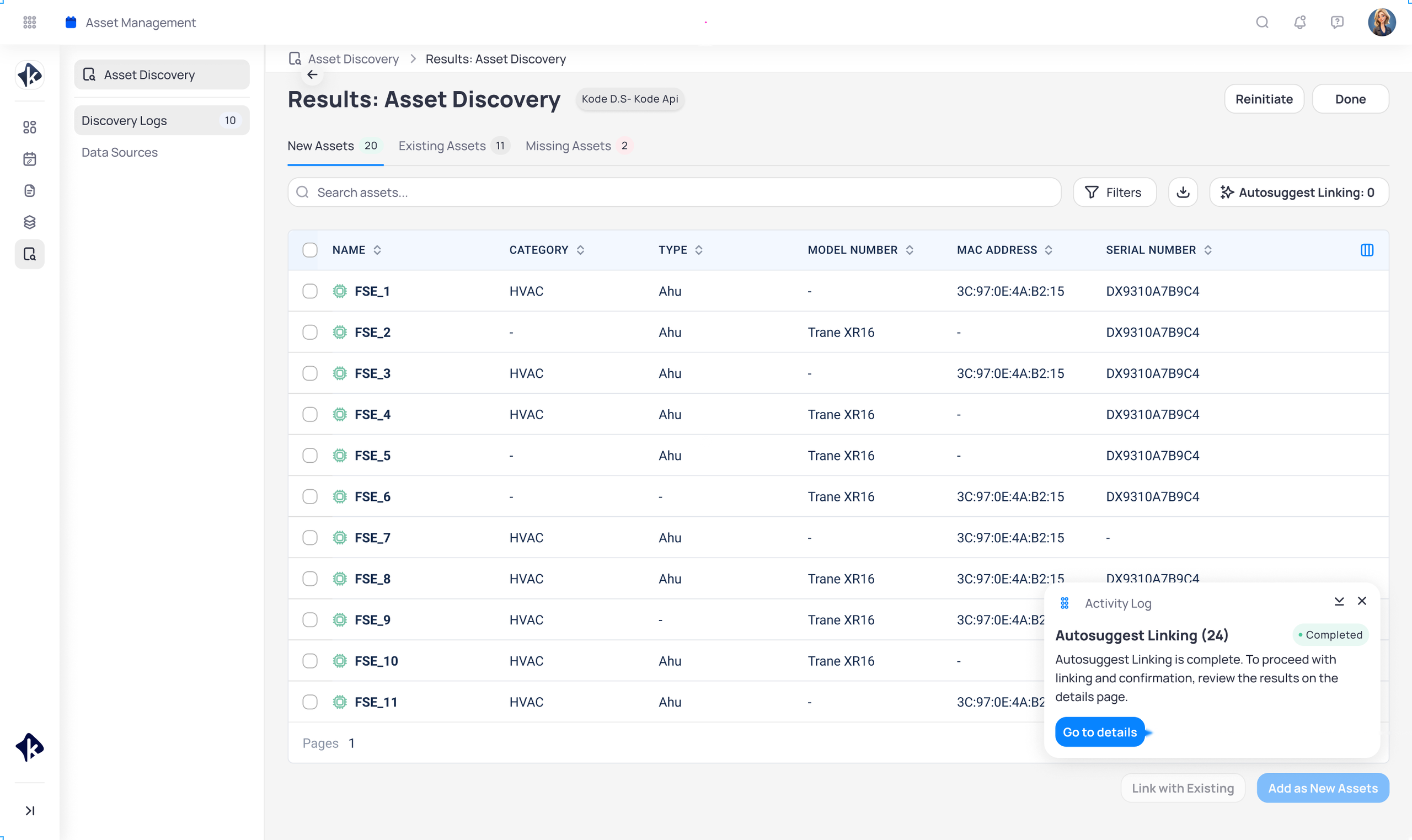
I placed Autosuggest Linking right in the results toolbar, next to the actions teams already used. Because matching takes time, I designed it to run in the background with an “in progress” notice, then report back through the activity log people already read, no new place to look. The results screen pairs each new asset with the existing one it most likely is, side by side, and nothing changes until someone presses Confirm Linking.
Keep a manual path for the edge cases
AI won’t be sure about everything, and I didn’t want teams stuck when it isn’t. So the same screen lets them select assets and either add them as new or link them with existing ones, picking the match from a searchable list, with a clear confirmation after every change.
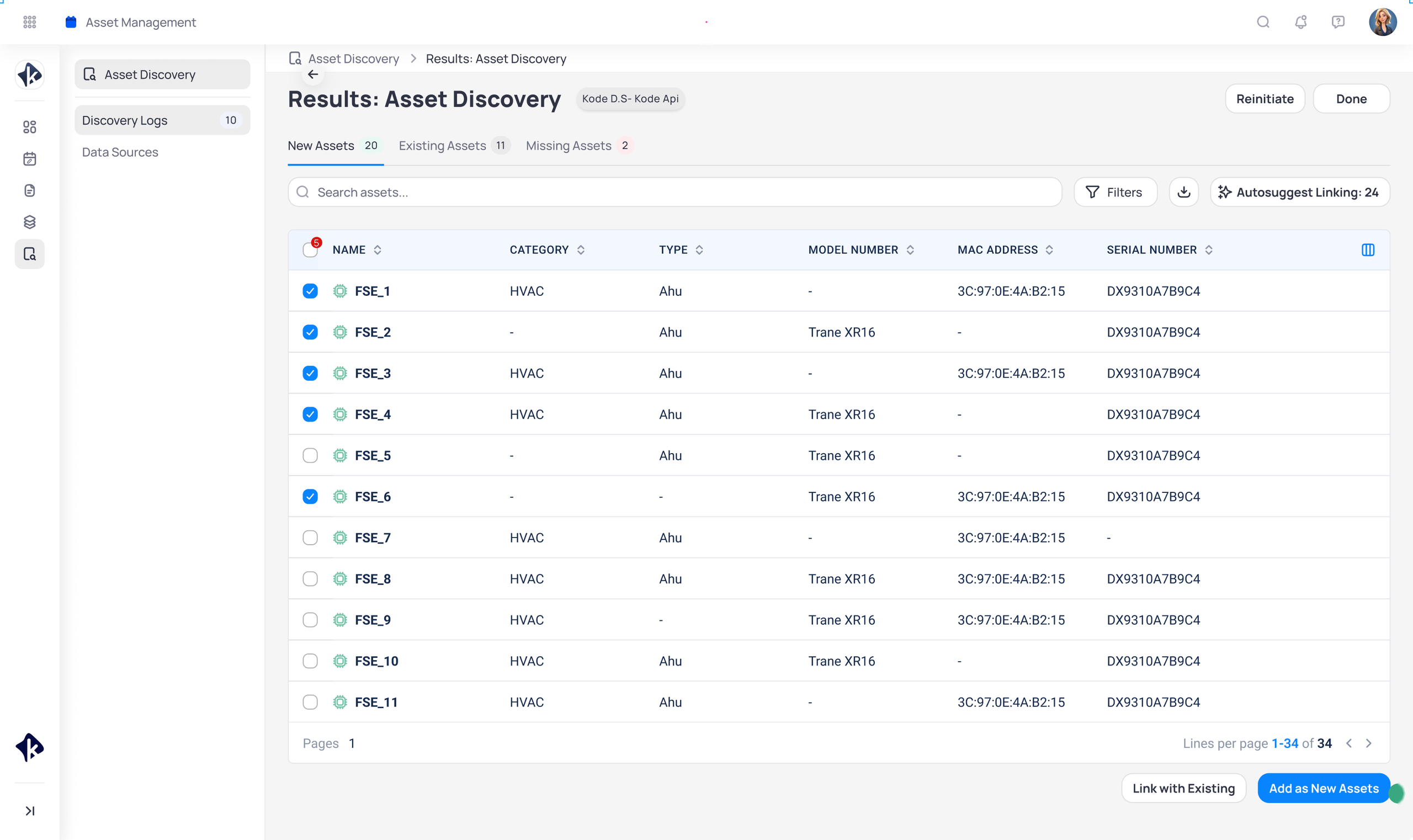
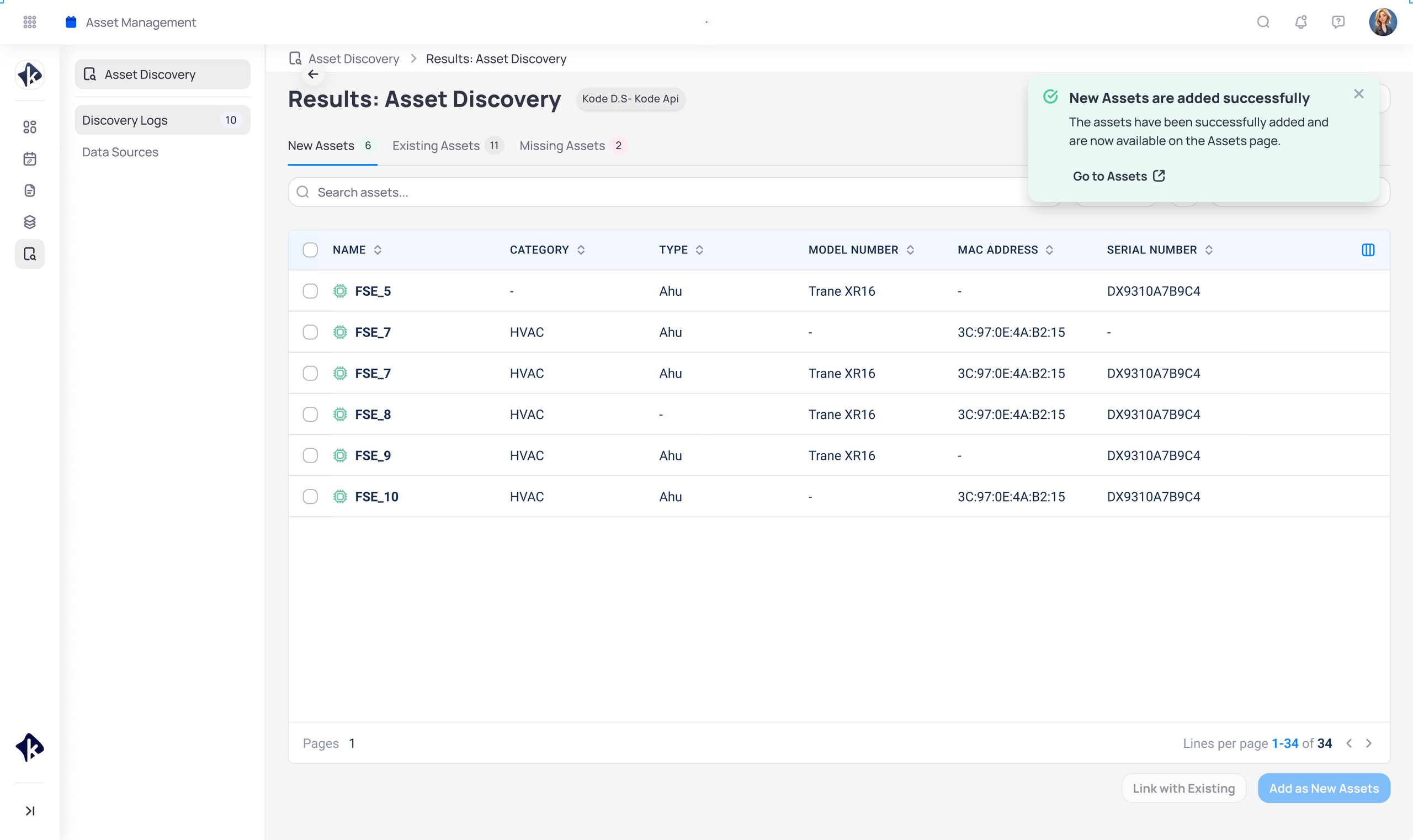
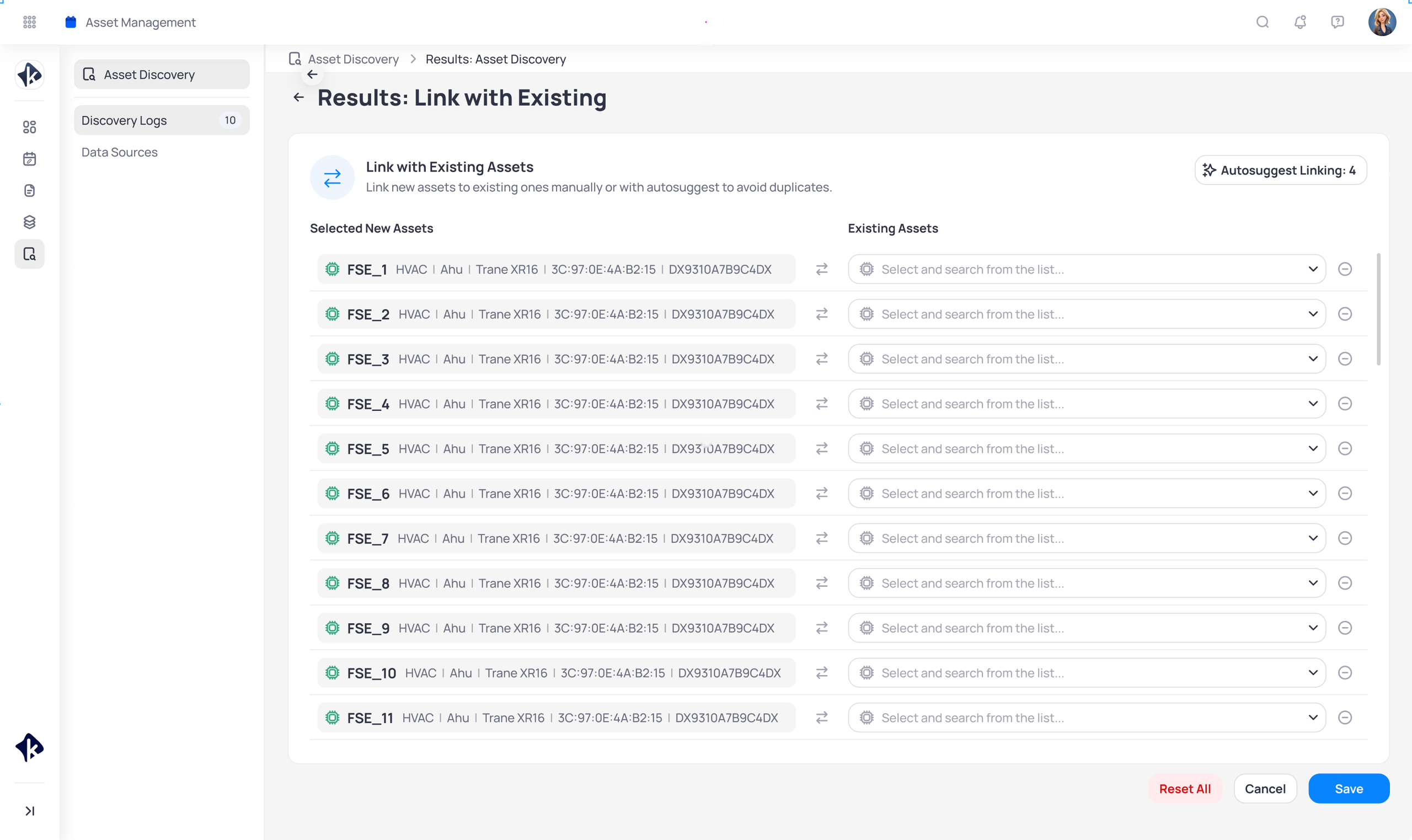
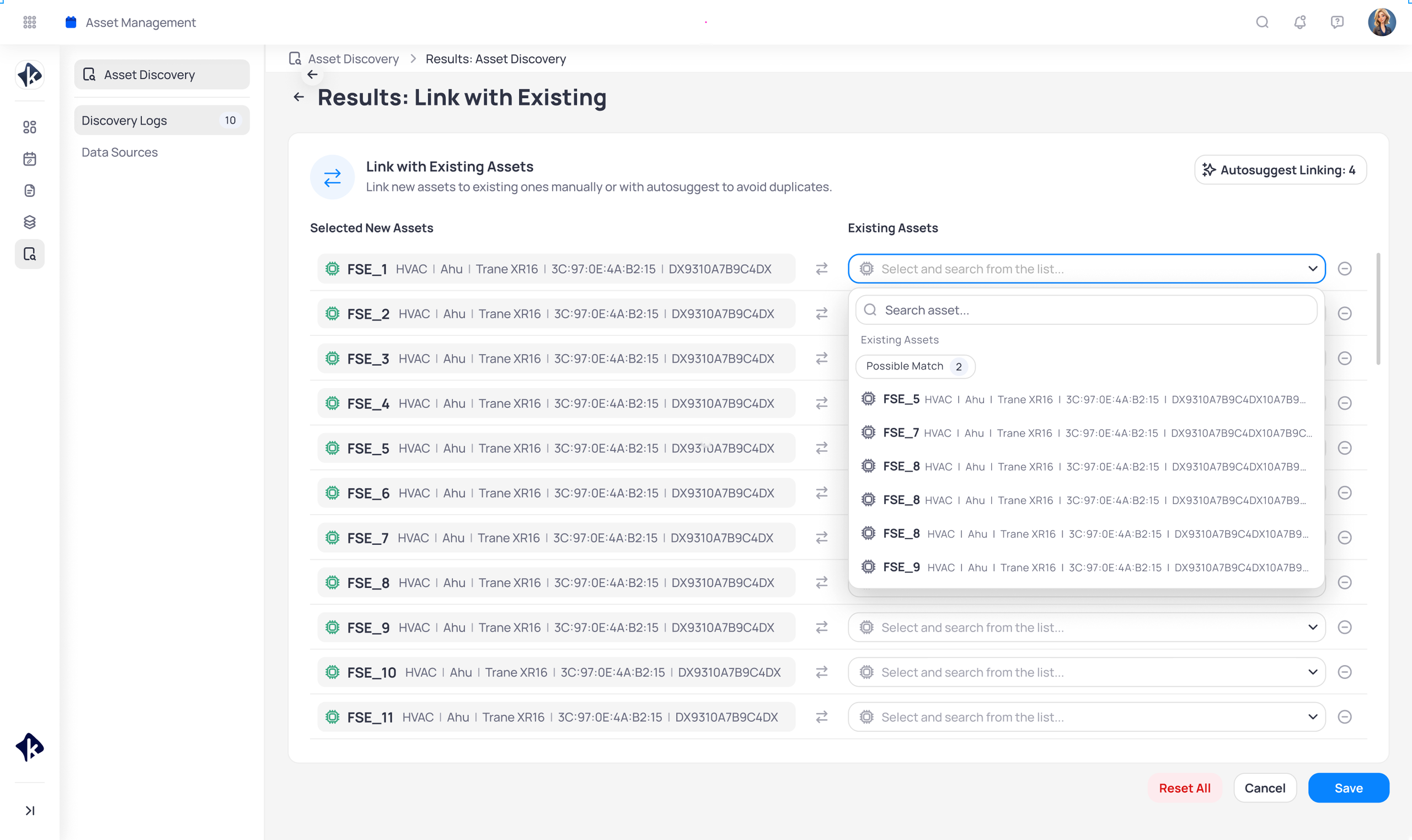
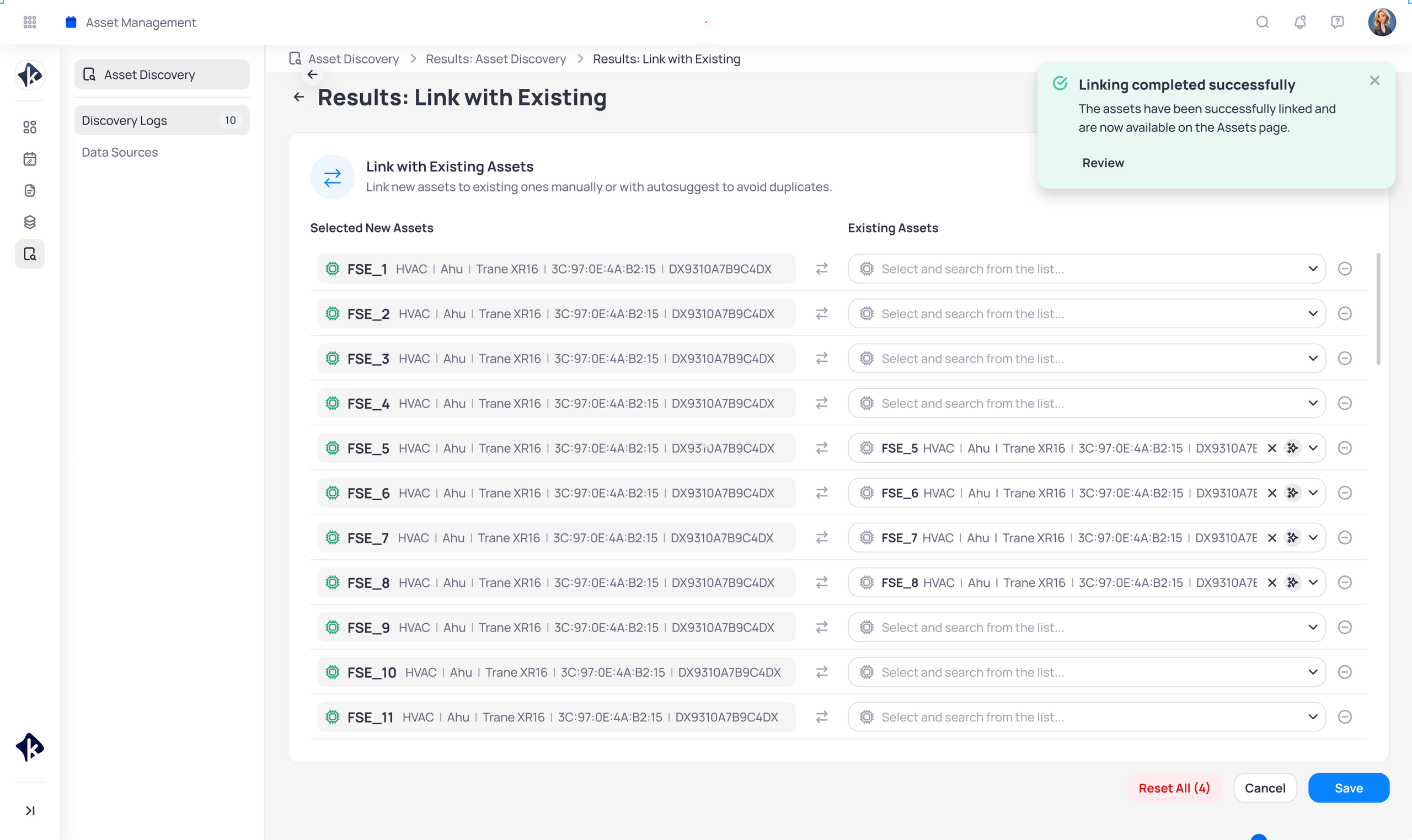
Sorting discovered devices went from a row-by-row chore to reviewing a list of suggestions, a cleaner asset register, fewer duplicates, and AI that teams trust because they stay in control of it.
Clients
AssetOps began as a solution for the Empire State Building, but quickly proved its value and appeal to many other clients. With each new adoption, the product grew, adapting to new teams, portfolios, and scales while keeping the same core experience.


Let’s not forget...
Through this journey, one thing stayed consistent: the user always came first. Every feature, flow, and interaction was built around the real needs of the people using it -facility managers, technicians, and building operators. Their insights drove the design decisions, and their daily workflows shaped how AssetOps works today. As designers, it’s our role to listen, simplify complexity, and make technology feel like a natural extension of their work. So let’s not forget...
Design starts with the User.