Swiss Parliament
During the sessions, anyone can watch the debates and votes of the Swiss Parliament from the public galleries. I designed the online reservation behind those visits: a calm booking flow for groups, and a workspace where the Parliamentary Services prepare each visit.
200 seats below. A gallery above. One group of 40 that booked its visit online.
Tribüne Nationalrat
40 people · 60 min debate
- Client
- Parliamentary Services
- Company
- Comitas
- Industry
- Public Sector
- My Role
- Product Designer
- Languages
- DE · FR · IT
Overview ✳️
The Federal Assembly has two chambers, the National Council and the Council of States. They usually meet separately and at different times, so each has its own gallery and its own schedule.
Groups of 10 to 40 people reserve their seats online, free of charge. A reservation can also include a short question time with a council member and a tour of the Hall of the Dome. Our job was to make this simple for visitors and clear for the team who organises it.
National Council
Seats shared among the 26 cantons by population.
Council of States
Two members per canton, one per former half-canton.
People per group
Groups reserve their gallery seats online, free of charge.
Before the visit
The last moment to add a council member or change a booking.
How it started...
We started with the visit itself, not the screens.
A visit to parliament follows a clear rhythm. Knowing it helped us decide what the booking needs to ask, and when.
- 1Entry and security check30 min
- 2Following the debate from the gallery60 min
- 3Question time with a council member30 min
- 4Short tour of the Hall of the Dome30 min
Two groups of people meet in every booking. The group leader, often a teacher, books once and wants it to be easy. The Parliamentary Services prepare rooms, guides and council members for many groups every session. We designed for both.
Group leaders
A short, guided booking in their own language, one question at a time.
Parliamentary Services
One place to see every visit, its room, its council member and its needs.
What’s the problem and
how we ✨fixed✨ it?
Group sizes, deadlines and session times are easy to get wrong in a long form.
Participant names and the council member are often only known weeks later.
The chambers sit at different times, so slots can’t be shared between them.
Only free slots are shown, one step at a time, and details can be added later.
Primary
Goals
Make booking a visit easy
A group leader should finish in a few minutes, in their own language.
Help the team prepare
Every visit, room and council member visible in one place.
The Features We Built
Gallery reservation
A short public flow that only offers the days and time slots that are still free.
Question time
Groups can add a 30-minute talk with a council member and name them later.
Sessions & events
Staff set up sessions and events with their galleries, times and rules.
Generated time slots
Bookable slots come from the session times instead of being entered one by one.
Gallery calendar
Both galleries side by side, with each group’s size and needs on its card.
Committee rooms
Staff find a free room for question time that fits the group.
Booking a visit in four steps
Each step asks one question: when, who, what else, and who is coming. The stepper at the top keeps the end in sight.
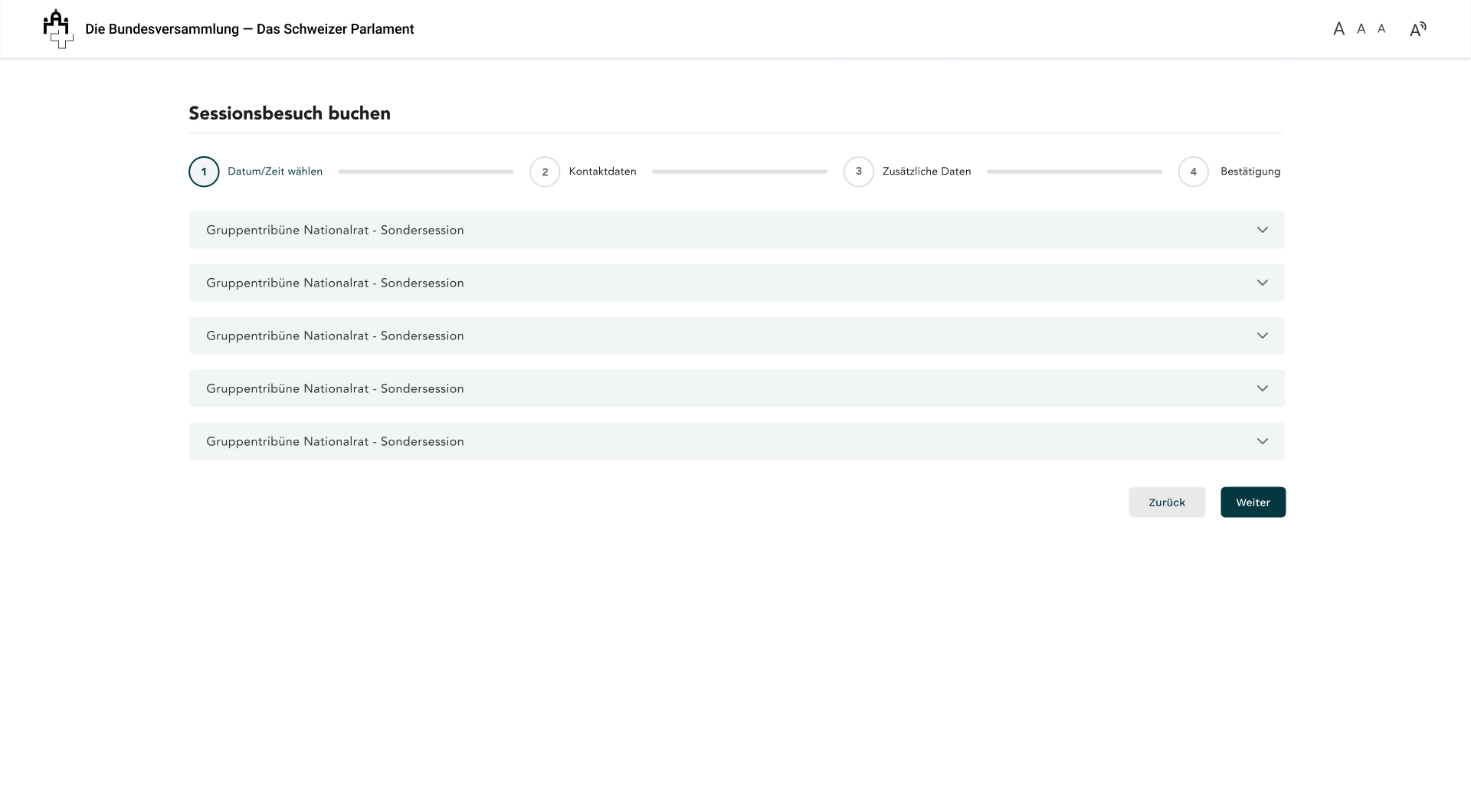
Only free slots
The reservation page shows the days and time slots that are still free, so a group never fills in a form for a visit that can’t happen.
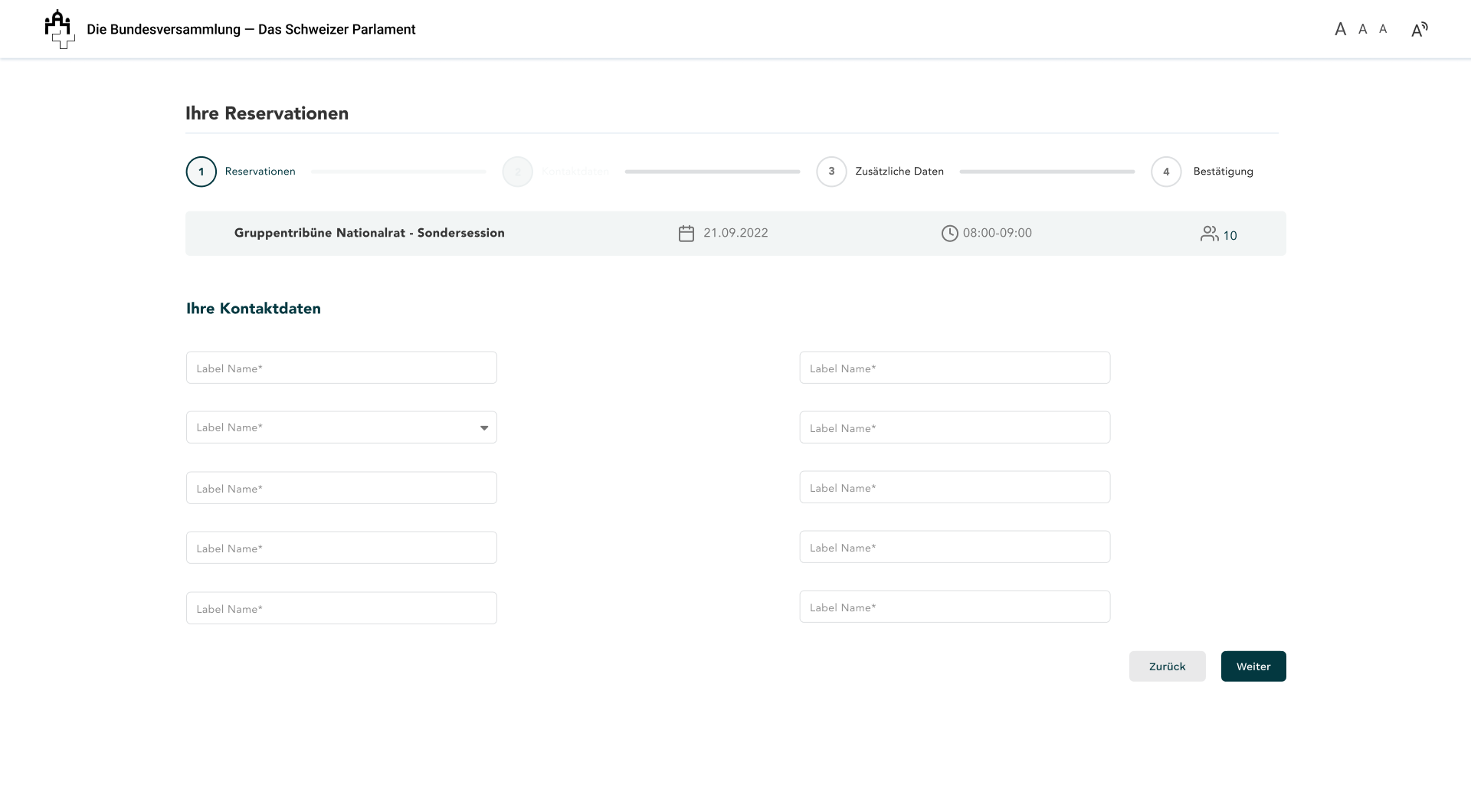
Your choice stays in view
The chosen slot stays at the top while the group leader enters contact details, so it’s always clear what is being booked.
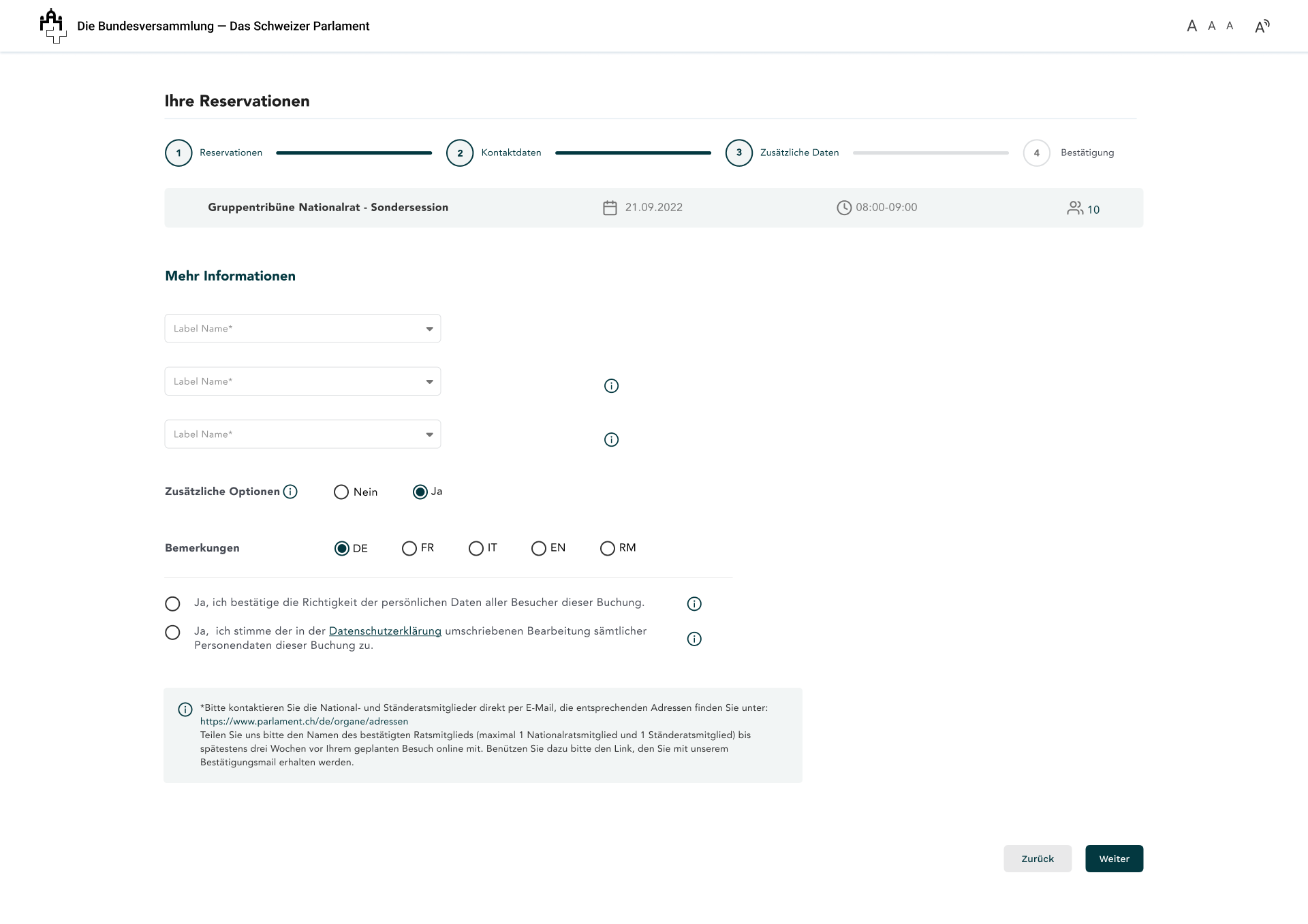
Extras in one place
Question time with a council member, the tour of the Hall of the Dome and remarks for the whole group are asked together. Larger groups use the remarks to ask for a shared room.
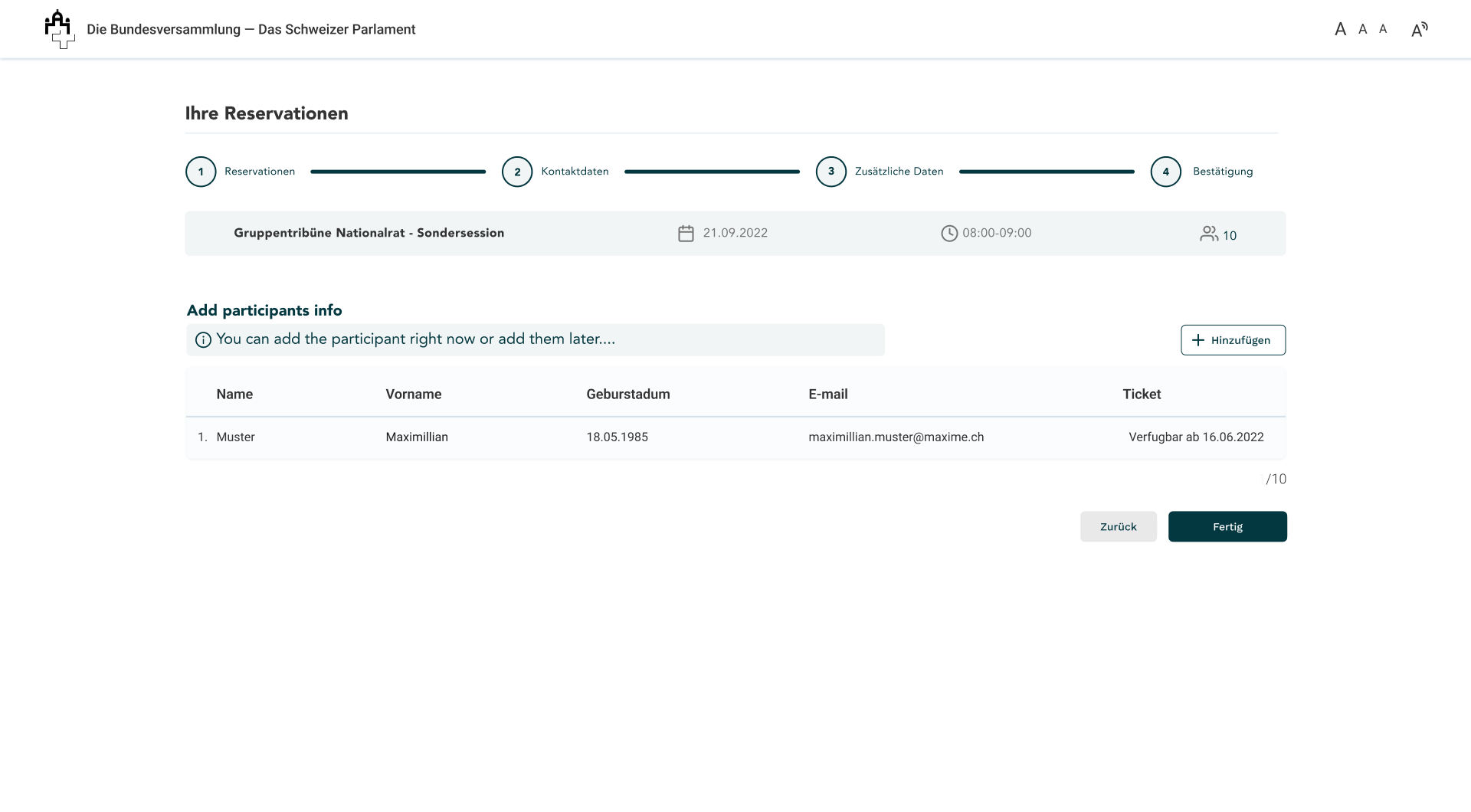
Names can come later
Everyone needs an official ID at the security check, so the list of participants matters. Group leaders can add it now, or later through their personal link.
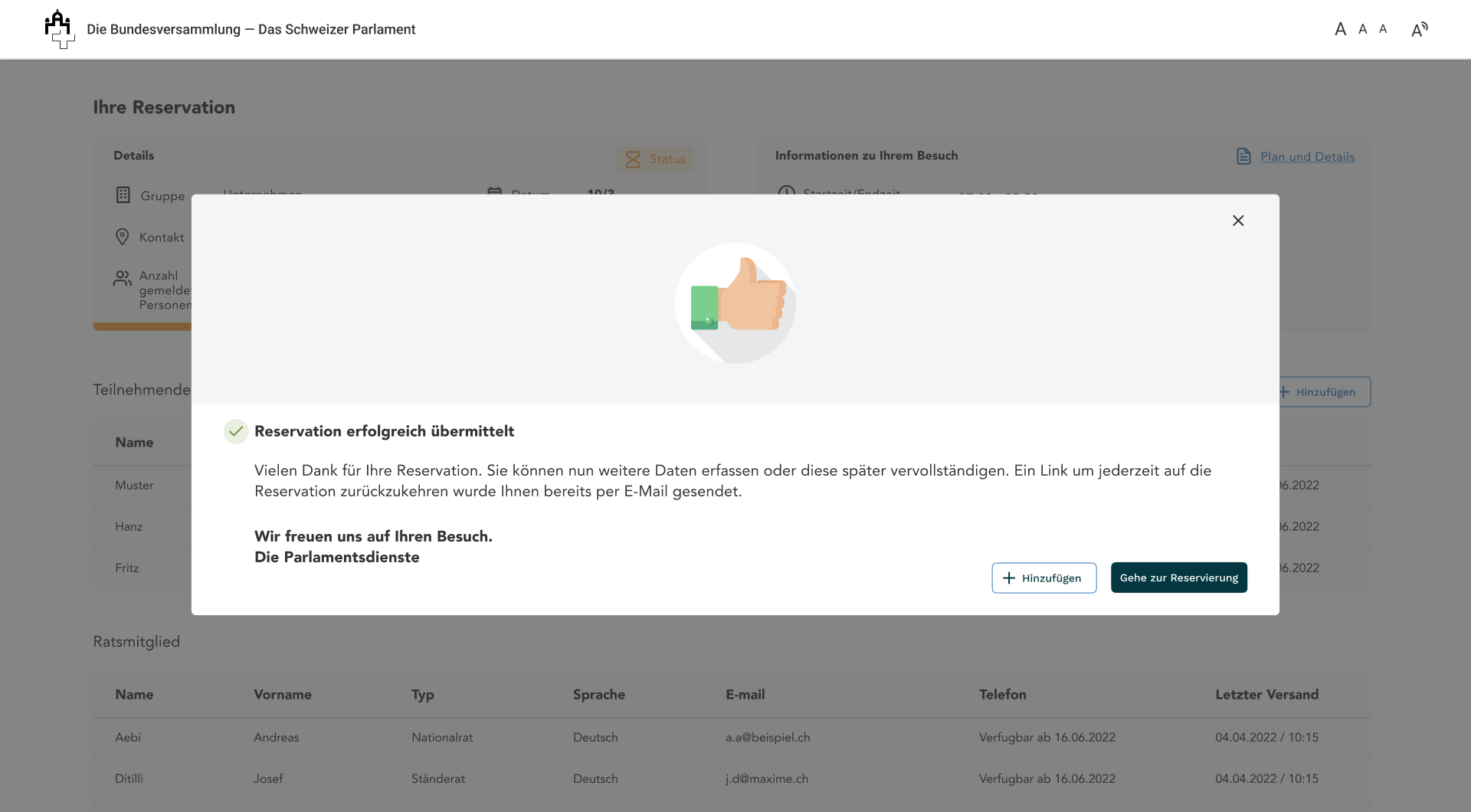
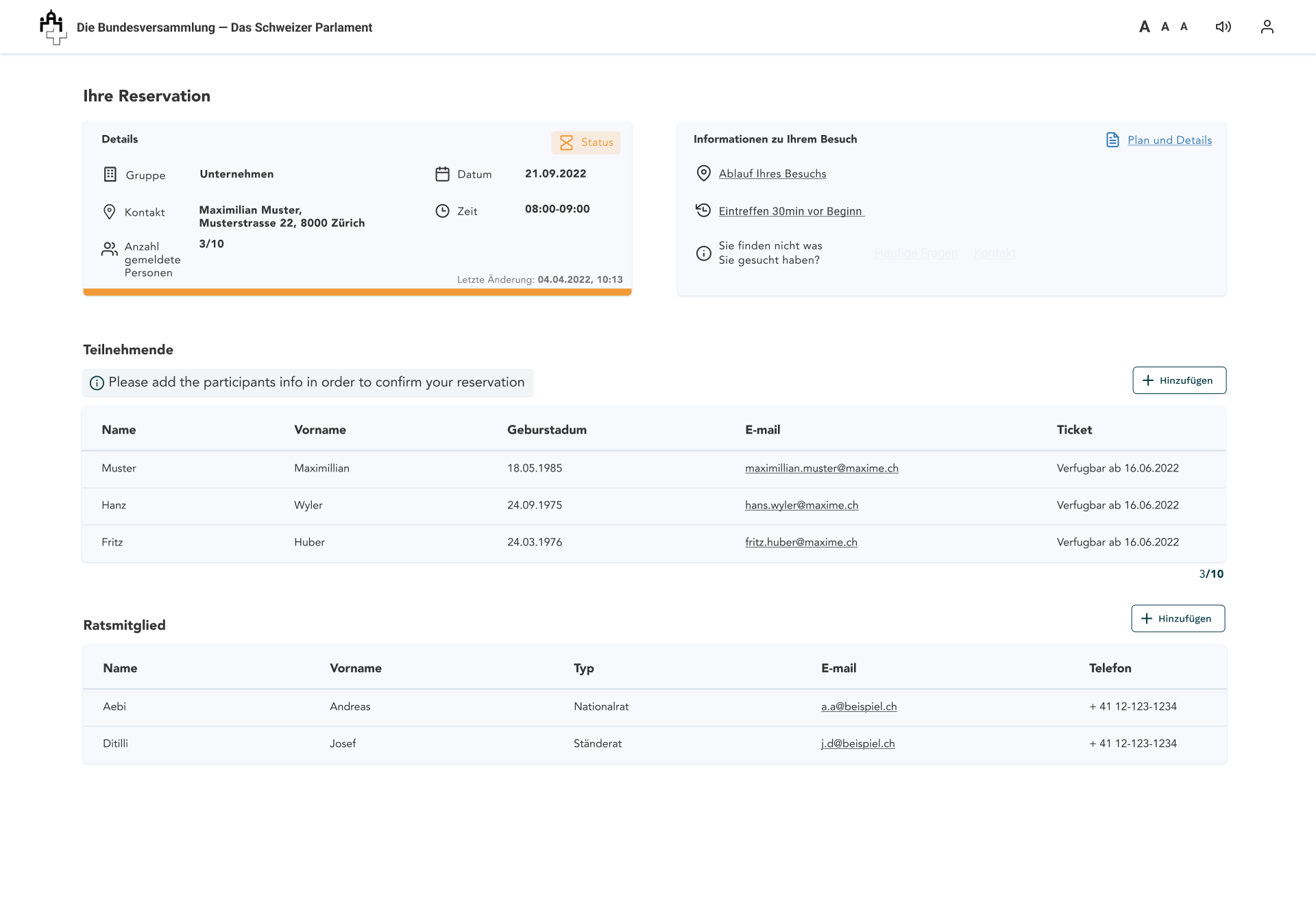
Behind the scenes: the team’s workspace
The Parliamentary Services book the committee rooms for question time, let the council member know, and accompany each group. The workspace supports exactly that.
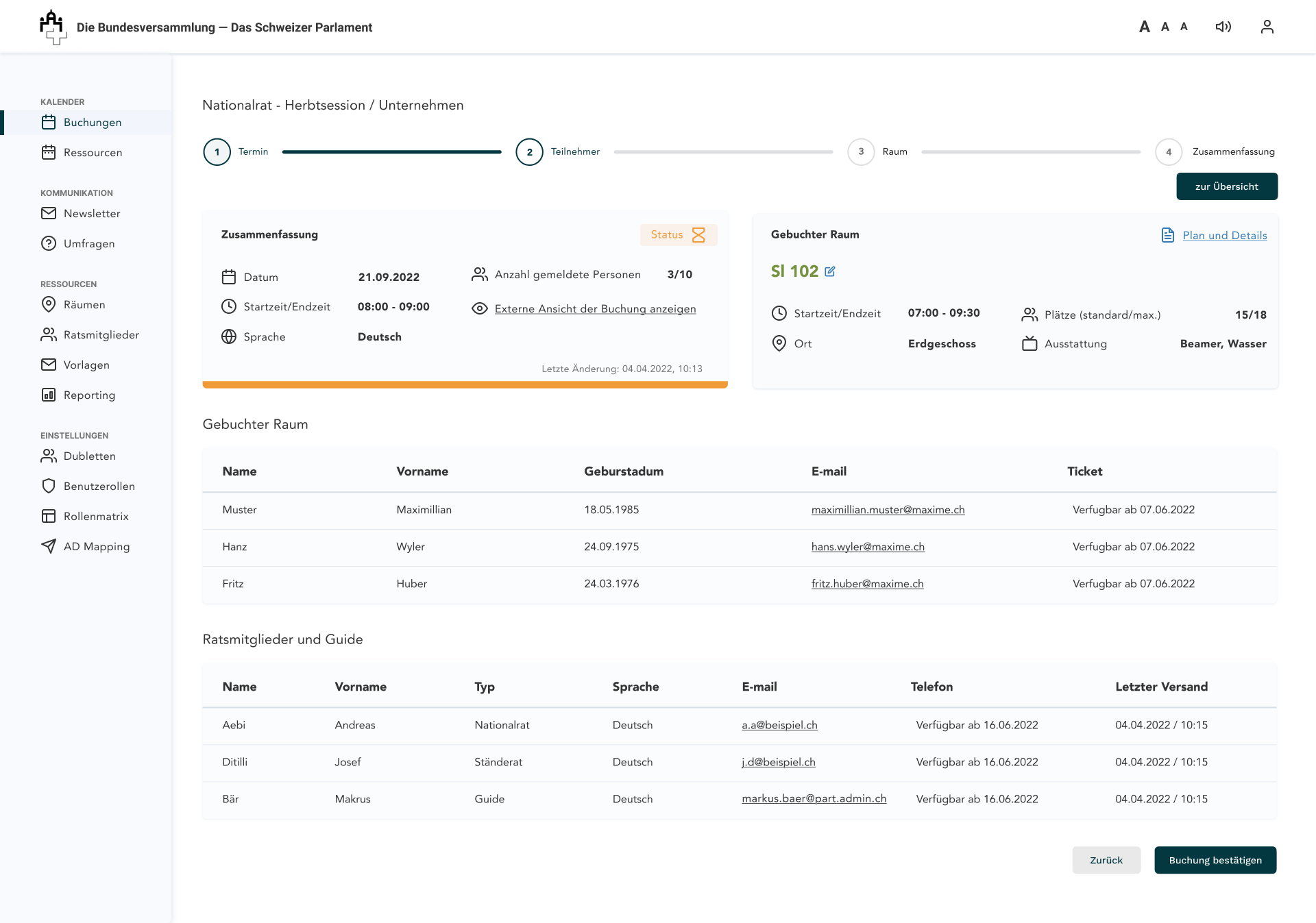
Everything about one visit
The summary, the room and its capacity, the participants and the council members sit on one page, so the team can prepare a visit without searching.
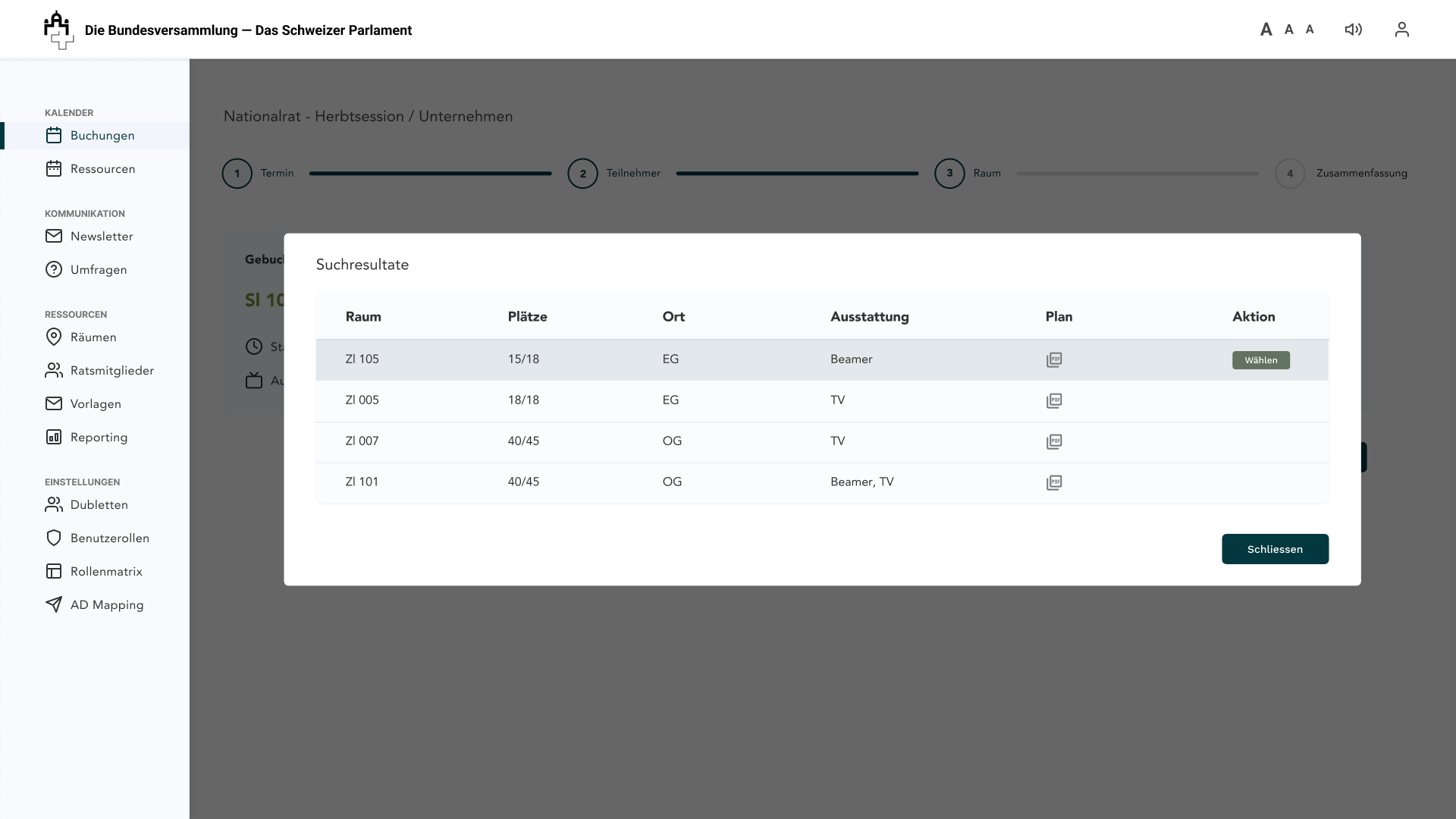
A room for question time
The team searches by place and group size. Results show seats, floor and equipment, and the booking stays visible behind the search.
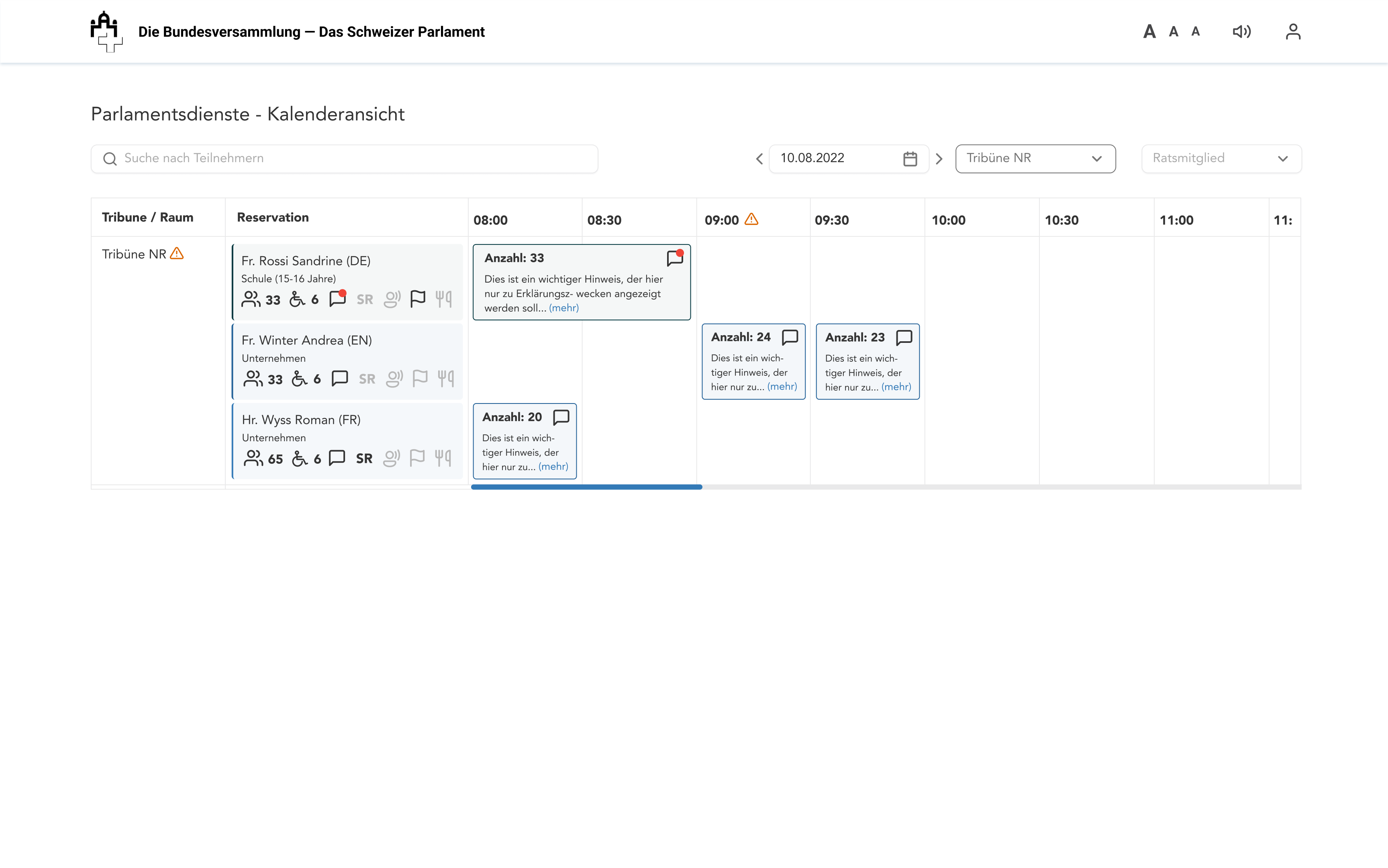
Both galleries at a glance
The calendar shows the National Council and Council of States galleries hour by hour. Small icons on each card show group size, age group, a council member, notes, and guests in a wheelchair, who follow the debate on a screen in another room.
Let’s not forget...
A visit to parliament is a small moment of democracy for many people, often a school class seeing it for the first time. We tried to keep the booking just as welcoming: few questions, clear rules, and room to add details later. So let’s not forget...
Credits
I worked on this project at Comitas, the company I was part of at the time. It was a co-work: I designed it together with Loriana Paçarizi, from the first flows to the final screens.
Design starts with the User.